

How to Electronically Sign a Document (any file type, on any device)
Electronically signing a document means giving your legal consent to it without pen, paper, or a scanner. You type, draw, or upload a signature image, and the eSignature platform records your consent and the signing event so there's a retrievable record afterward. The fastest way to do it depends on how the document reached you and what you're signing from.
Below is how to sign a PDF, a Word file, or a scanned paper document, on desktop or mobile, in a way that holds up if anyone ever needs to check it.
Three Ways to Sign a Document
Signing a PDF You Received by Email
This is the most common scenario: someone emails a PDF and asks you to sign it. If it's a plain attachment rather than part of a dedicated signing workflow, you'll typically open it in a PDF editor or document tool that supports signatures, create a signature by typing, drawing, or uploading an image of it, place it in the right field, and save.
This works for informal, low-stakes documents. It's also where mistakes happen most often. People sign the wrong version, skip a date field, flatten the PDF incorrectly, or send back an incomplete file. If the document matters, use a workflow that tracks completion and preserves the final signed record rather than relying on a saved attachment.
Signing Through a Dedicated Signing Link
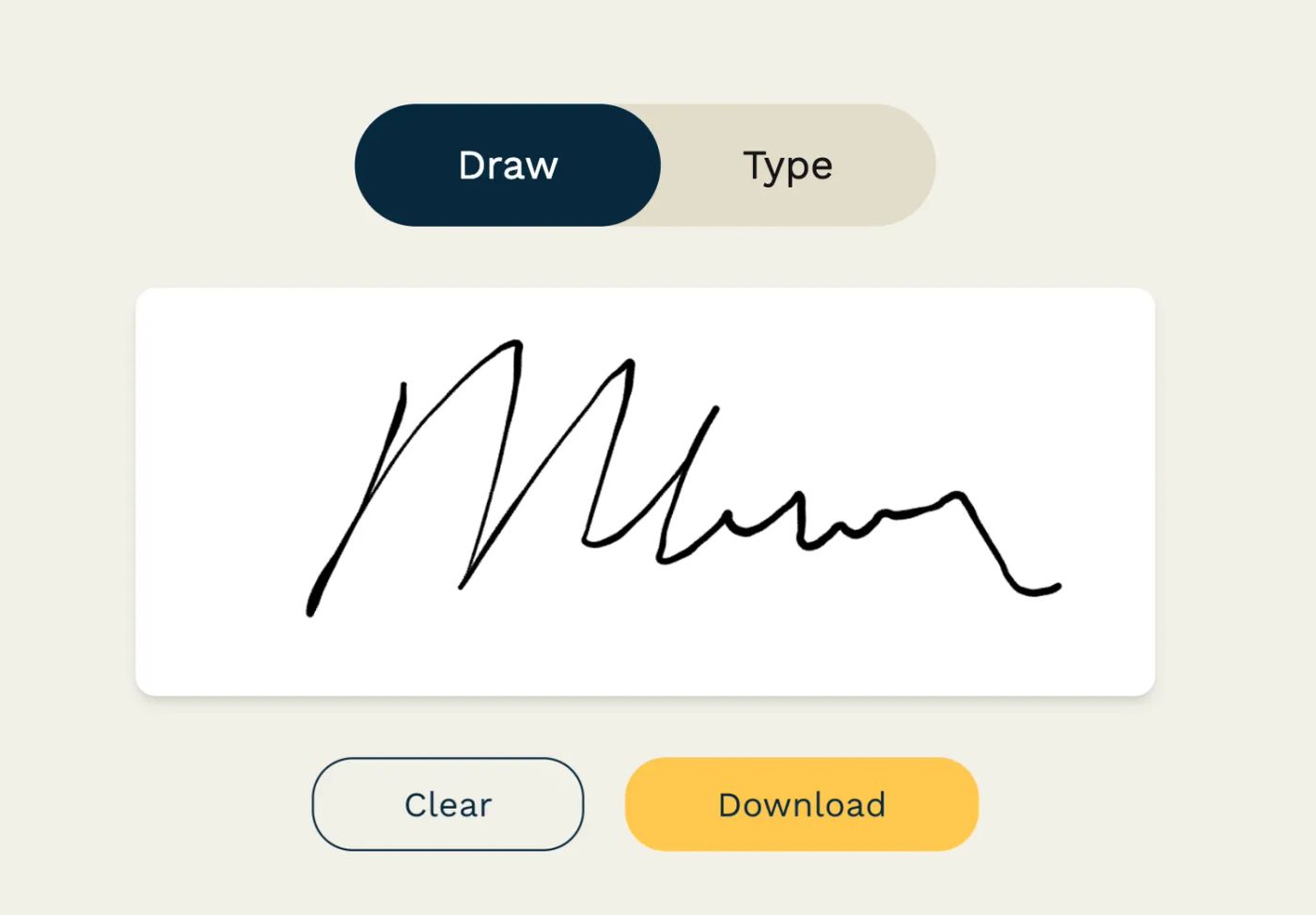
This is the cleaner path. You click a link, the document opens in your browser, and the platform walks you through each required field: signature, date, initials, name, or anything else the sender marked. Most tools offer three ways to create your signature:
- Type it: the platform generates a signature-style version of your name.
- Draw it: you sign with a mouse, stylus, or touchscreen.
- Upload it: Generate an image of your signature and upload it.
Once you confirm, the platform applies the signature, logs the action, and moves you to the next field. It won't let you miss a required one by accident. Because the process is guided field by field, completion rates tend to hold up better than when someone has to interpret a blank PDF on their own.
Signing on Your Phone or Tablet
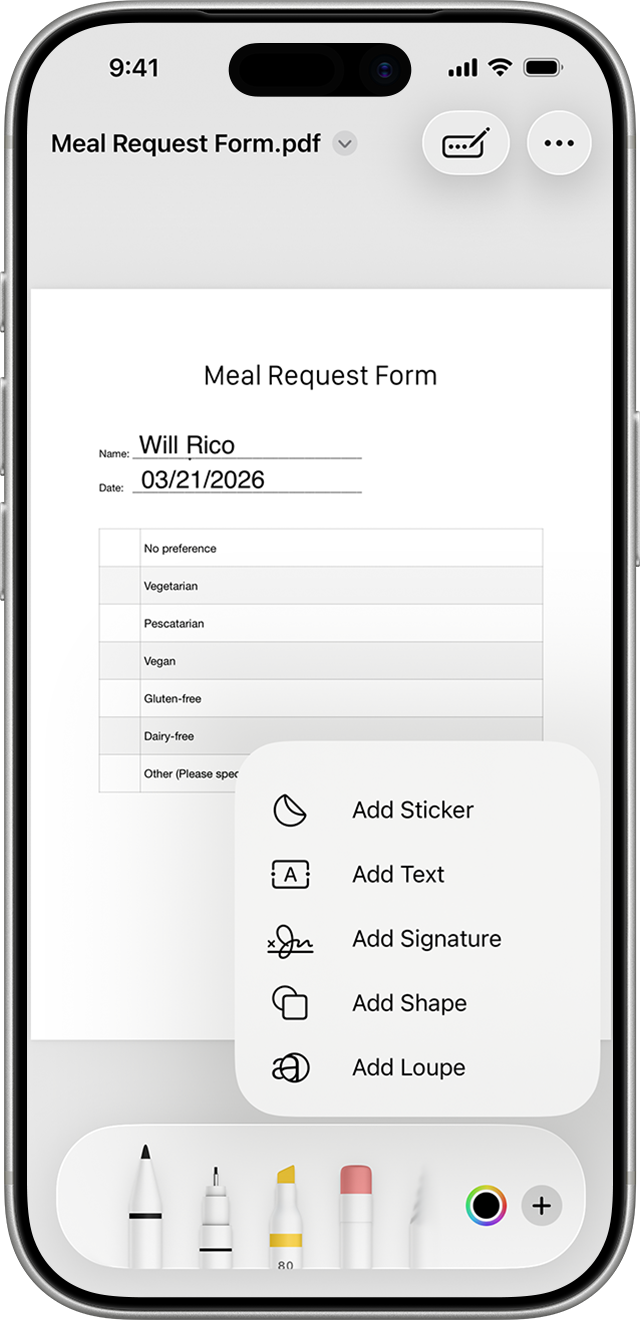
The principle is the same on mobile as it is on desktop: a browser-based signing link works without installing an app, on any device. Open the link, tap the highlighted fields, draw or type your signature, review, and finish. The experience should feel nearly identical to signing on a laptop.
Signing by File Type: PDF, Word, and Scanned Documents
Most guides assume every document is a clean, born-digital PDF. In practice, what lands in your inbox varies, and the right approach changes with the file type.
How to sign a PDF. This is the most common format and the one covered above. You either sign it manually as an email attachment, or complete it through a dedicated signing link that guides you field by field. If the document matters, prefer the signing-link route. It produces a record of who signed what, and when.
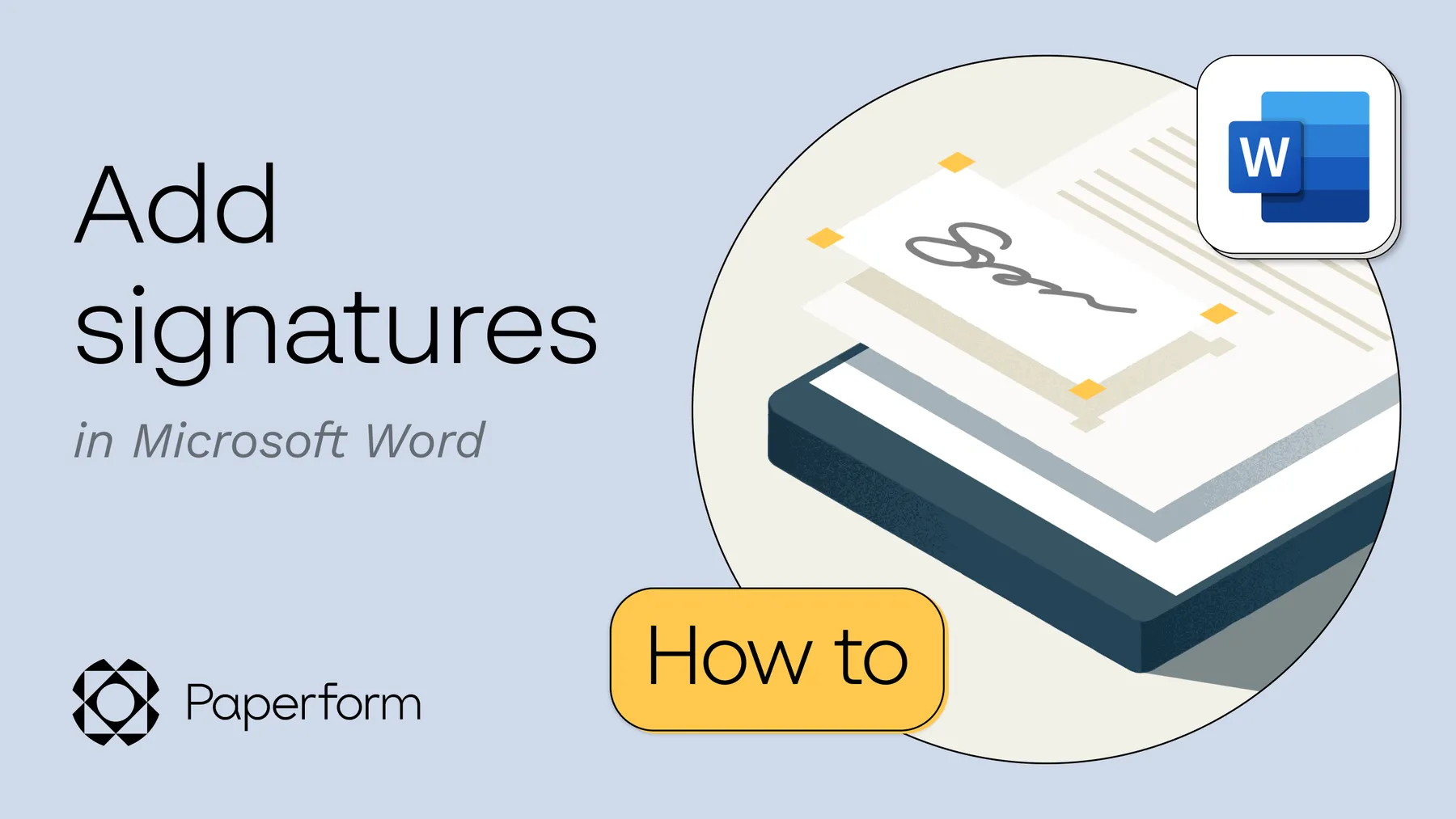
How to sign a Word doc. If your document starts as a Word file rather than a PDF, you have two options: add a signature directly using Word's built-in tools, or convert it to PDF and sign it through a dedicated e-signature platform.
Scanned or photographed paper documents. Sometimes the only version you have is a photo or scan of an already-signed paper document, like a lease your landlord photographed. If you need to add your own signature to a document like this, upload the image or PDF into a signing platform the same way you would any other file, then place a typed, drawn, or uploaded signature into a blank area. A photo of a handwritten signature isn't the same as an electronic one for a document you're signing yourself, though. It shows what happened on paper, but it doesn't capture consent, a timestamp, or a record tied to that specific document the way a proper e-signature does.
What Makes an Electronic Signature Legally Valid
The practical question isn't "can I sign this online?" It's "will this hold up if anyone challenges it later?" For most business teams, four ideas matter more than the legal jargon around them.
| Pillar | What it means in practice |
|---|---|
| Intent | The signer clearly means to sign, not simply view or open the document. |
| Consent | The signer agrees to conduct the transaction electronically. |
| Record retention | The signed document can be stored and accessed later. |
| Association | The signing action is connected to the specific document being signed. |
A proper e-signature process captures all four (intent, consent, and a retrievable record tied to the exact document), rather than only an image pasted onto a page. Disputes rarely start with "was there a squiggle on the page?" They start with "did this person knowingly agree to this exact record?" That's also why a pasted signature image can look finished while still leaving a gap. Appearance isn't the same thing as a defensible process.
There's also a practical distinction between a simple e-signature and a certificate-backed digital signature. Most day-to-day approvals, like offer letters, NDAs, and standard contracts, only need the first. More regulated or high-stakes workflows may need the second. It's worth deciding which one a given document needs based on risk and jurisdiction rather than defaulting to whatever's familiar.
Security is what makes any of this trustworthy in practice. A reliable e-signature workflow should produce an audit trail showing who received the document, when they opened it, when they signed it, and which version was completed. It should also protect the document from being altered afterward and restrict who inside your organization can resend or modify signed agreements. If you're weighing document security specifically, check for a visible audit trail, access controls on who can alter or resend agreements, encryption and secure storage rather than documents living in email threads indefinitely, and identity verification where the stakes call for it.
Beyond Single Signatures: Managing Multi-Step Workflows
One signed document is easy to manage. Fifty active documents across HR, sales, legal, and operations are not. That's usually where teams discover the signature itself was never the bottleneck. Coordination was.
Take a hiring workflow: a recruiter sends an offer letter, the hiring manager approves it internally, the candidate signs, HR countersigns, and payroll and IT need the final version on file. Run that through email and static PDFs, and the same problems show up every time. Someone edits the document after an earlier reviewer already signed off. The candidate signs before internal approval finishes. HR chases replies by hand, or a signature gets collected while an initials field goes missing. Sales sees a version of the same pattern: a rep sends a proposal, procurement asks for a revised clause, legal wants final review, and finance needs the executed copy, all patched together with email threads and shared folders until volume rises or someone goes on leave.
According to Fujifilm's roundup of e-signature business statistics, up to 82% of agreements are completed in under a day, and 50% in under 15 minutes, when teams use e-signature workflows instead of one-off email chains. Routing, reminders, and status visibility built into the process make that difference, not the signature step itself.
| Need | One-off signing | Workflow signing |
|---|---|---|
| One person signs one file | Fine | Fine |
| Multiple signers in order | Clumsy | Built for it |
| Bulk distribution | Manual | Structured |
| Reminder follow-up | Usually manual | Automated |
| Status visibility | Limited | Centralized |
| Prefilled data from other systems | Rare | Common |
HR teams typically need sequential routing. Sales teams typically need templates, countersignatures, and deal visibility. Operations usually needs both, plus consistent storage and a clear audit history. Once volume grows, the useful question stops being "how do I get this signed?" and becomes "how do I make sure this keeps moving without my team babysitting it?" That's where templates, reminders, activity logs, and prefilled data start to matter more than the signature box itself.
How to collect legal signatures with smart workflows
If your documents start life as a form rather than a blank template, like a job application, a vendor intake form, or a quote request, the fastest workflow skips the copy-paste step entirely.
Collect the data your document needs (name, company, order details, whatever the form asks for) with an online form builder, then auto-send that data to prefill the agreement on your eSignature app, and the finished document goes straight out for signature. Nobody retypes a name from a form response into a contract, and there's no separate system to keep in sync between "collect" and "sign."
FAQ
What makes an electronic signature legally binding?
It needs to show clear intent to sign, consent to transact electronically, and a record that's tied to the specific document and can be retrieved later. In the US, the ESIGN Act (2000) establishes that a signature can't be rejected solely because it's electronic, provided these elements are present.
Can I sign a PDF document from my phone?
Yes. A browser-based signing link works the same way on a phone or tablet as it does on desktop. Open the link, tap the highlighted fields, and sign by typing or drawing. No app download is needed for most workflows.
What's the difference between a simple e-signature and a digital signature?
A simple e-signature (typed, drawn, or uploaded) is sufficient for most everyday agreements, like offer letters or standard contracts. A digital signature adds a certificate-backed layer of identity verification and tamper-evidence, which some regulated or high-stakes documents require.
Do I need to create an account to sign a document someone else sent me?
Usually not. Most dedicated signing links let you complete and submit a document without registering for anything. You only need an account if you're the one sending or managing documents.
How do I add an electronic signature to a Word document?
You can add one directly using Word's built-in signature tools, or convert the file to PDF and sign it through a dedicated e-signature platform, which produces a stronger audit trail. Our guide to electronic signatures in Word walks through both methods in detail.
Is a photo of my handwritten signature the same as an e-signature?
Not on its own. A photo shows what a signature looks like, but it doesn't capture consent, a timestamp, or a record connected to that specific document. A proper e-signature process captures all three.
Do I need special software to electronically sign something, or can I use what's already on my device?
For a one-off, informal document, tools already built into your PDF viewer or word processor can work. For anything that matters, like contracts, leases, or approvals you may need to reference later, a dedicated e-signature platform gives you the audit trail and record-keeping that basic tools don't.
What information does an audit trail record?
Typically who received the document and when, when it was opened, when each field was completed, when it was signed, and which version was finalized. This is what makes a signed document defensible if it's ever questioned.
Can I sign a document on someone else's behalf?
Only if you have documented authority to do so, such as a power of attorney or explicit corporate signing authority, and the document should reflect that you're signing as an authorized representative rather than as the other person. This is a legal question that depends on your jurisdiction and the type of document, so check with a licensed professional if you're unsure.
Is an electronic signature valid outside the US?
Most countries have their own legal framework for electronic signatures, with the EU's eIDAS regulation as a widely referenced example, and the underlying requirements (intent, consent, a retrievable record) tend to look similar across jurisdictions. Requirements still vary by country and document type, so verify local rules for anything with significant legal or financial weight.
Suggested reading

Papersign (“Papersign” or “we”) provides the information, data, links and other materials on this page (collectively, “Information”) for informational and educational purposes only. We do not warrant or represent the accuracy, completeness, currency, or suitability of any Information for any use or purpose. Papersign is not a licensed legal provider nor is it providing any legal advice; the Information should not be so construed or used. Nothing contained in the Information is intended to create an attorney-client relationship, to replace the services of a licensed, trained attorney or legal professional, or to be a substitute for the legal advice of an attorney or trained legal professional licensed in your state/jurisdiction. Before taking any action, including using our services to execute contracts or other documents, You should always first consult an attorney licensed in your state/jurisdiction, in each instance, regarding the issues address by the Information. Please never disregard professional legal advice or delay in seeking it because of something you have read in the information.