
Addendum vs. Amendment: What's the Difference and When to Use Each?
An addendum adds new terms to a contract without touching the original text. An amendment changes the existing terms of the contract itself. Both require the agreement and signature of all original parties to be enforceable, which is exactly the kind of proof free electronic signature software like Papersign is built to capture through its audit trail.
What is a contract amendment?
An amendment is a formal, legally binding change to the original terms of a contract. It modifies specific clauses or conditions that both parties agree to, without replacing the entire document.
Common uses for amendments include:
- Adjusting payment schedules
- Changing the scope of work in a project
- Updating terms to reflect new compliance requirements
Amendments are legally binding once signed. Just like the original contract, all parties must agree to the change, and that agreement needs to be captured in writing.
What is a contract addendum?
An addendum is a separate document attached to the original contract. Unlike an amendment, it doesn't alter the contract itself. It adds new terms or clarifications alongside what's already there. You might use an addendum to:
- Specify the terms of a project extension
- Add a non-compete or confidentiality clause that wasn't in the original
- Outline additional deliverables not covered in the original scope
Addendums are legally binding as long as all parties agree to and sign the document. If you're specifically adding terms to a lease, see how to draft a legally binding lease addendum for a walkthrough built around that exact scenario.
Amendment vs. addendum: key differences
Amendments and addendums both modify an existing contract, but they go about it differently.
Before the differences: both require mutual consent from every original party, and both produce changes that are legally binding and enforceable in court. Neither side can unilaterally decide to change terms or bolt on new ones.
| Amendment | Addendum |
|---|---|
| Alters the core terms of the original contract. | Adds supplementary information without changing the original terms. |
| Amendment | Addendum |
|---|---|
| Becomes an integral part of the main contract and changes its terms. | Stands as a separate document attached to the original contract. |
| Amendment | Addendum |
|---|---|
| Requires rewriting or editing specific clauses in the existing contract. | Involves creating a new document that's then attached to the existing contract. |
Decision framework: which one do you need?
Work through these eight questions in order. Each one points you toward an amendment or an addendum.
Are you changing an existing term, or adding something that wasn't there before? Changing → amendment. Adding → addendum.
Does the change affect price, scope, timeline, or liability? Yes → amendment. These are core terms, and altering them means editing the contract itself.
Do all original parties need to agree, or can one party attach it unilaterally? All parties → either works, but some addenda (like a schedule or exhibit referenced in the original contract) can be attached with lighter process. Full renegotiation → amendment.
Is this a minor clarification or a material change to the deal? Minor clarification → addendum. Material change → amendment.
Does the original contract specify a formal amendment procedure you're required to follow? Yes → amendment, and follow that exact procedure. Contracts often name their own amendment process, and skipping it can make the change unenforceable.
Will this change need to survive a legal or compliance review? Yes → amendment, since reviewers expect core terms changes to be reflected directly in the contract, not bolted on separately.
Is the change permanent, or tied to a specific time-limited condition? Time-limited (a schedule, a rider, a one-off exhibit) → addendum. Permanent → amendment.
Does the change need to be signed by the same people who signed the original, or can a delegate sign? Same signers required → amendment. Delegate acceptable → addendum, in many cases.
If you answered "amendment" to most of these, you're changing the deal itself. If you answered "addendum" to most, you're adding to it without touching what's already agreed.
When to use each, by industry
Addendum example: A buyer adds a financing contingency clause to a purchase agreement that wasn't in the original offer.
Amendment example: The parties agree to change the settlement date itself, editing the core terms of the sale contract.
Addendum example: A vendor attaches a Data Processing Addendum (DPA) to an existing master services agreement to cover a new privacy requirement, without reopening the commercial terms.
Amendment example: A customer upgrades from 50 to 200 seats mid-contract, which requires editing the pricing and volume terms in the agreement itself.
Addendum example: An employer attaches a remote work policy addendum to an employment contract that didn't originally address remote arrangements.
Amendment example: An employee's base salary and title change following a promotion, which means editing the core compensation terms of the original contract.
Related terms: appendix, change order, and side letter
Appendix or exhibit: A supporting document referenced in and attached to the original contract from the start, like a pricing schedule or scope-of-work document. Unlike an addendum, an appendix is usually planned as part of the original agreement, not added later.
Change order: Common in construction and project-based work, a change order documents a specific modification to scope, cost, or timeline mid-project. It functions like an amendment but uses industry-specific language and often ties to a formal change-management process.
Side letter: A separate agreement between the same parties that modifies or clarifies specific terms of the main contract, often kept confidential from other parties to a larger deal. It's closer to an addendum in function but is typically used in more complex commercial or M&A transactions.
How to create an amendment
- Locate and review the original contract in your document management system.
- Discuss the proposed change with the other parties and reach mutual agreement.
- Write down the agreed changes in clear, specific language.
- Share the draft for review so all parties can suggest edits or approve it.
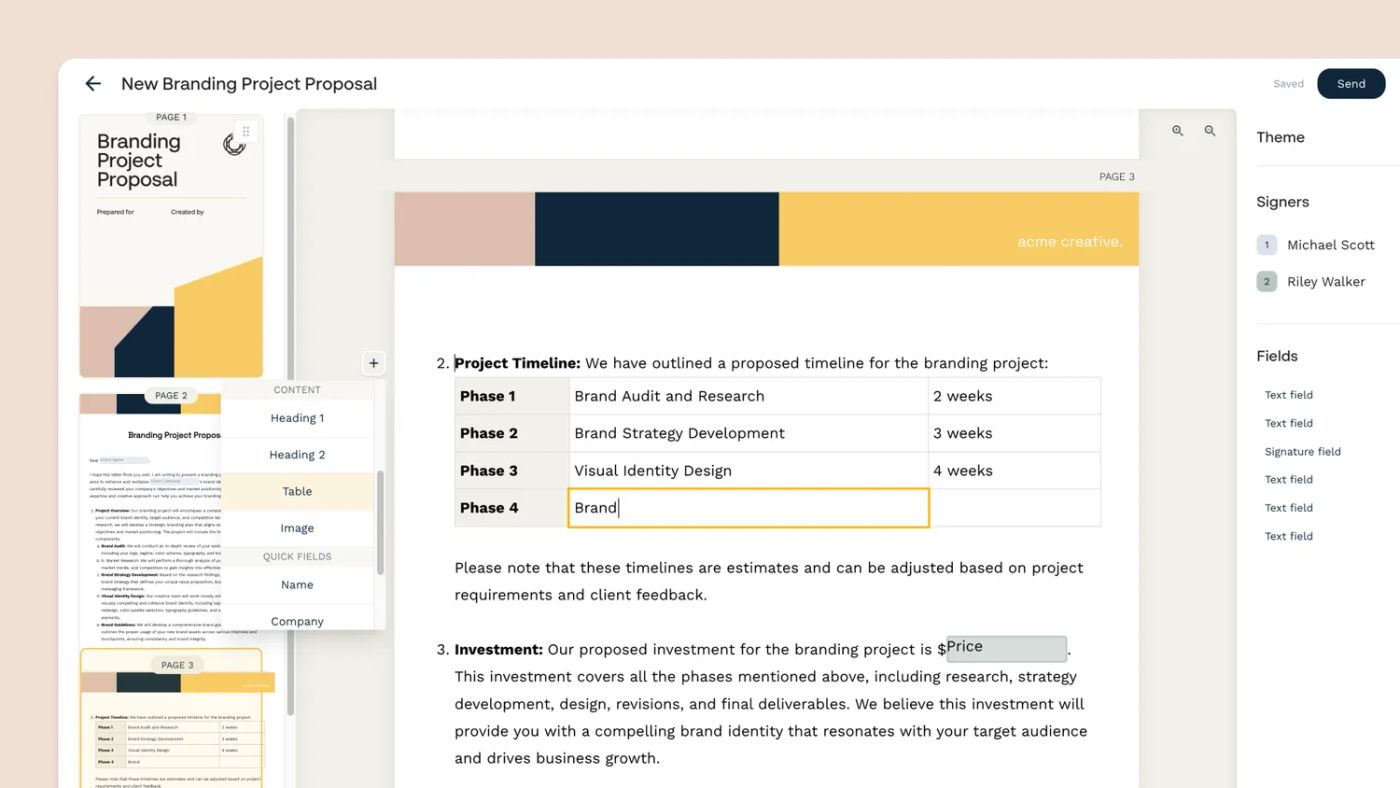
- Once everyone agrees, use Papersign to get the amendment signed by all parties.
- Store the signed amendment alongside the original contract for easy reference.
- Papersign's audit trail and signed document certificate record exactly who viewed, signed, and when, which is the proof you need if anyone later disputes whether an amendment was properly agreed.
How to create an addendum
Identify exactly where additional information or clarification is needed.
Create a new document outlining the additional terms.
Share the draft for review, the same way you would with an amendment.
Use Papersign to collect signatures from all parties, making the addendum legally binding.
Store the signed addendum alongside the original contract.
FAQ
Verbal agreements can sometimes be legally binding, but always get contract modifications in writing. A written, signed document gives you clarity and evidence if a dispute ever comes up.
Yes. For either document to be legally binding, every party to the original contract must agree to the change and sign it.
No. An amendment can modify a contract's terms, but it can't cancel the contract outright. To end a contract entirely, you need a separate termination agreement.
The amendment's terms usually take precedence over the original contract where they conflict, but only if the amendment says so explicitly. Always state clearly which terms are being replaced to avoid ambiguity.
Neither has to come first. You can attach an addendum to a contract that's never been amended, and you can amend a contract that's never had an addendum. They're independent tools, and which one you reach for depends on whether you're adding new terms or changing existing ones.
Draft your next contract change with confidence
Draft and send your next contract amendment or addendum for signature with Papersign, and keep a clear, auditable record of exactly what changed and who agreed to it.
Written by
Mel SeppMel leads SEO and growth for Papersign, Paperform, and Stepper. She writes about e-signatures, document workflows, and the tools that make paperwork less painful.
Suggested reading

Papersign (“Papersign” or “we”) provides the information, data, links and other materials on this page (collectively, “Information”) for informational and educational purposes only. We do not warrant or represent the accuracy, completeness, currency, or suitability of any Information for any use or purpose. Papersign is not a licensed legal provider nor is it providing any legal advice; the Information should not be so construed or used. Nothing contained in the Information is intended to create an attorney-client relationship, to replace the services of a licensed, trained attorney or legal professional, or to be a substitute for the legal advice of an attorney or trained legal professional licensed in your state/jurisdiction. Before taking any action, including using our services to execute contracts or other documents, You should always first consult an attorney licensed in your state/jurisdiction, in each instance, regarding the issues address by the Information. Please never disregard professional legal advice or delay in seeking it because of something you have read in the information.