
The Best E-Signature Software in 2026, Ranked
The best e-signature software for most teams in 2026 is Papersign — $24/user/month ($20/user/month billed annually) buys unlimited signed documents with no envelope caps or overage fees, API access included, and a doc-style editor that lets you write contracts from scratch instead of only uploading PDFs. Below, 10 tools ranked and compared on pricing, limits, workflows, compliance, and reviews.
Every mainstream e-signature tool produces legally binding signatures under ESIGN and UETA, so legality is not the deciding factor. What actually separates these products is how they charge (flat vs per-seat vs per-envelope), whether they cap your documents, how much workflow you get without an enterprise contract, and which compliance attestations back the audit trail. We evaluated 14 platforms against those criteria — our methodology is at the bottom of the page — and ranked the 10 worth your time. Because "best" depends on who you are, each entry says plainly who should pick it: there are teams for whom DocuSign, PandaDoc, or even a self-hosted open-source tool is the right answer, and we say so.
Quick comparison
| Feature | Papersign | SignWell | DocuSign | PandaDoc | Dropbox Sign | SignNow |
|---|---|---|---|---|---|---|
| Document Creation & Editing | ||||||
| Rich editor to create documents from scratch | Yes | No | No | Yes | No | No |
| Web forms | No | No | Yes Business Pro | No | No | No |
| Document generation | No | No | Yes Enterprise | No | No | No |
| Template library | No | No | No | 750+ | No | No |
| Signing Experience | ||||||
| Real-time tracking and notifications | Yes | Yes | Yes | Yes | Yes | No |
| Manual signing links | Yes Pro | No | No | No | No | No |
| Unlimited users | Yes | No | No | No | No | No |
| Signing order | No | Yes | No | Yes | Yes | No |
| Workflows & Automation | ||||||
| Paperform integration | Yes | No | No | No | No | No |
| Bulk sending | Yes Pro | Yes Business | No | No | No | No |
| Custom email notifications | Yes Pro | No | Yes Standard | Yes | Yes Standard | No |
| Webhooks | Yes Pro | Yes | No | Yes | Yes API plans | Yes |
| Security & Compliance | ||||||
| Activity trail | Yes | No | No | No | No | No |
| Signed document certificate | Yes | No | No | No | No | No |
| Consent agreement | Yes | No | No | No | No | No |
| Local data residency | Yes Enterprise | No | Yes Enterprise | No | Yes Premium | No |
| Identity Verification | ||||||
| Signer email verification | Yes Pro | Yes | Yes | Yes | Yes | No |
| SSO (SAML) | Yes Enterprise | No | Yes Enterprise | Yes Enterprise | Yes Standard | No |
| SMS / phone OTP authentication | No | No | Yes | No | No | No |
| ID document verification | No | No | Yes | No | No | No |
| Integrations & API | ||||||
| Papersign API | Yes Pro | No | No | No | No | No |
| Webhooks | Yes Pro | No | Yes | Yes | No | No |
| REST API | No | Yes | No | No | No | Yes API plans / Site License |
| Zapier | No | 5,000+ apps | Yes | Yes | Yes | Yes |
| Team & Branding | ||||||
| Team document organisation | Yes Pro | No | Yes Standard | No | No | No |
| Email/chat support | Yes | No | No | No | No | No |
| Dedicated CSM | Yes Enterprise | No | Yes Enterprise | Yes Enterprise | No | No |
| SLA | Yes Enterprise | No | Yes Enterprise | Yes Enterprise | No | No |
| Templates | ||||||
| Reusable templates | No | Yes | Yes | Yes | Yes | Unlimited |
| Template gallery / free contract templates | No | Yes | No | No | No | No |
| Pre-filled and shared team templates | No | Yes Business | No | No | No | No |
| Template sharing across teams | No | No | Yes Standard | No | No | No |
The one-line version of the ranking: Papersign for small businesses and teams that want unmetered documents and a real document editor; SignWell if you want the cheapest solid solo option; DocuSign for enterprise procurement and deep compliance; PandaDoc for sales teams that need proposals and quotes, not just signatures; Documenso if you must self-host; and OneSpan Sign if you're a bank.
#1 Papersign — best overall for small businesses and teams
Papersign earns the top spot on two things no other tool on this list combines: a document editor and pricing with nothing metered — no envelope caps, no overage fees, no separate API bill. Most e-signature products are PDF annotators — you draft the contract in Word or Google Docs, export it, upload it, then drag fields onto it. Papersign has a doc-style rich editor built in, so you can write an agreement, proposal, or consent form from scratch, drop in signature fields, and send it, all in one place. You can still upload and sign PDFs; you're just not limited to them. Of the ten tools ranked here, only PandaDoc offers comparable in-app document creation, and it charges per seat for the privilege.
The second thing is the Paperform integration. Papersign is built by Paperform (bootstrapped, profitable, around since 2016), and the two products connect natively: a form submission can generate a contract, agreement, or consent form and send it for signature automatically, with everything linked back to the original submission. If your signing starts with an intake form — client onboarding, waivers, service agreements — that's a whole automation layer other tools make you build in Zapier or pay for as an API plan.
Pricing is short and predictable: Free (3 documents/month) and Pro at $24/user/month, or $20/user/month billed annually, with unlimited signed documents. There are no seat caps or tier-gated user limits — you add people, not plans — and no per-envelope meter running underneath. SOC 2 Type II and GDPR compliance, the activity trail, and the signed document certificate come with the Free plan too, not an enterprise tier. Pro adds bulk sending, webhooks, signer email verification, manual signing links, and API access (10 API-signed documents per seat, per month; unlimited on Enterprise).
Best for: small businesses, freelancers, and teams that write their own contracts and never want to count documents or budget for overage fees.
Where it falls short: Papersign launched in 2023, so its native integration catalog is smaller than 15-year-old incumbents (the Paperform integration, API, and webhooks carry the automation load). It also skips advanced identity verification — no government-ID or biometric checks — which rules it out for the regulated use cases OneSpan and DocuSign serve.
 #2 SignWell — best budget pick for solo senders
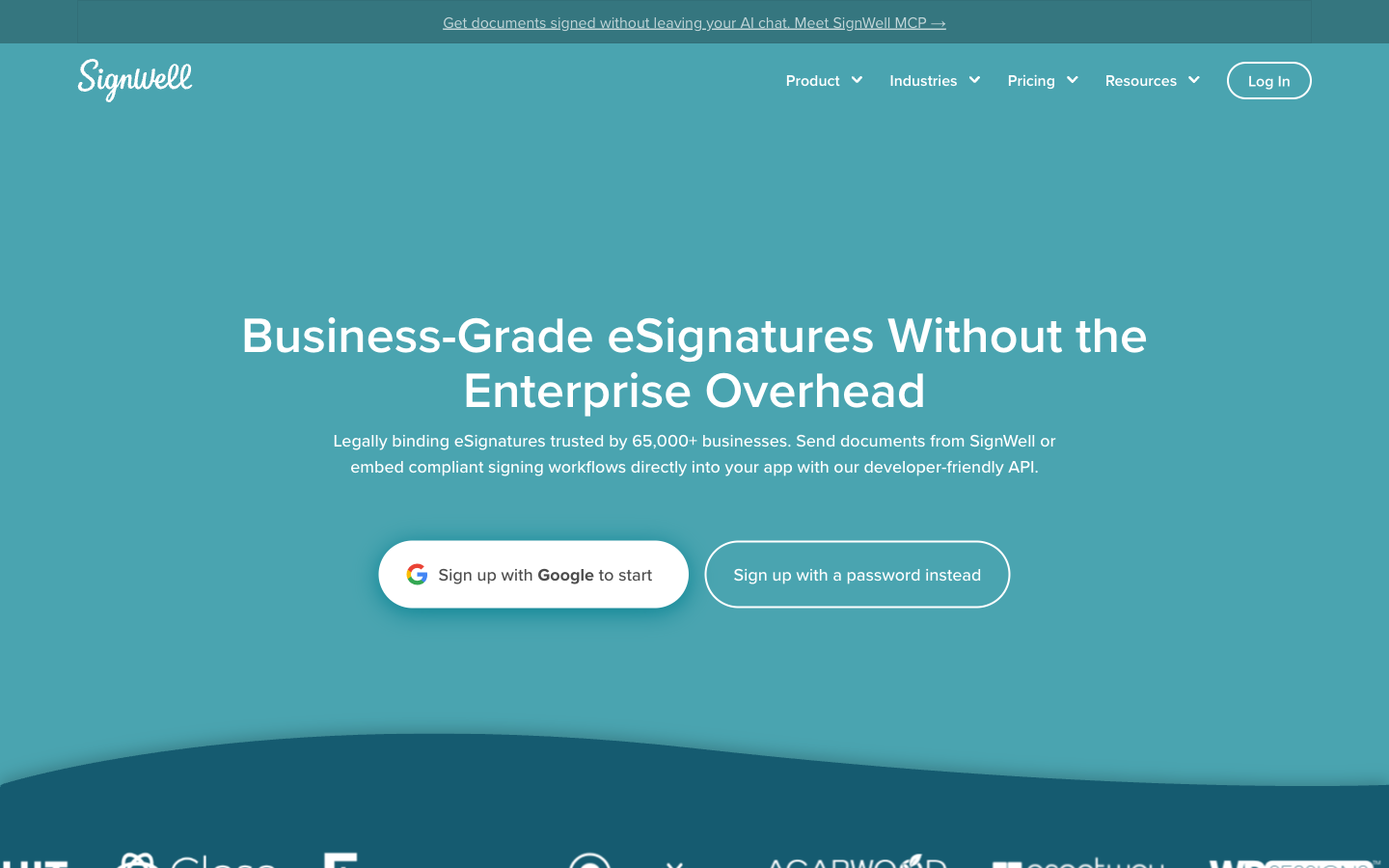
SignWell is what happens when a small bootstrapped team builds exactly one thing well. Signing is quick to set up, documents are unlimited on every paid plan, and the reviews are the best in the category: 4.8/5 on G2 and 4.9/5 on Capterra, with 65,000+ businesses using it. The Light plan at $10/month (billed annually) with unlimited documents for a single sender is arguably the best value in e-signatures for a freelancer or solo operator, and its pay-as-you-go API (25 free documents a month, then $0.85/doc and down) is a refreshing contrast to the three-figure monthly API subscriptions elsewhere on this list.
The trade-offs show up at team scale and above. Every additional sender costs $10-15/month, so a growing team pays per head; there's no native mobile app; native integrations stop at Close CRM and QuickBooks (everything else is Zapier); and being a very small company means no SSO, SLA, or data residency options for buyers who need them. Documents are also upload-only — you can't draft or edit content inside SignWell.
Best for: freelancers and one-to-three-person businesses that upload finished contracts and want unlimited signing at the lowest price.
 #3 DocuSign — best for enterprises and regulated industries
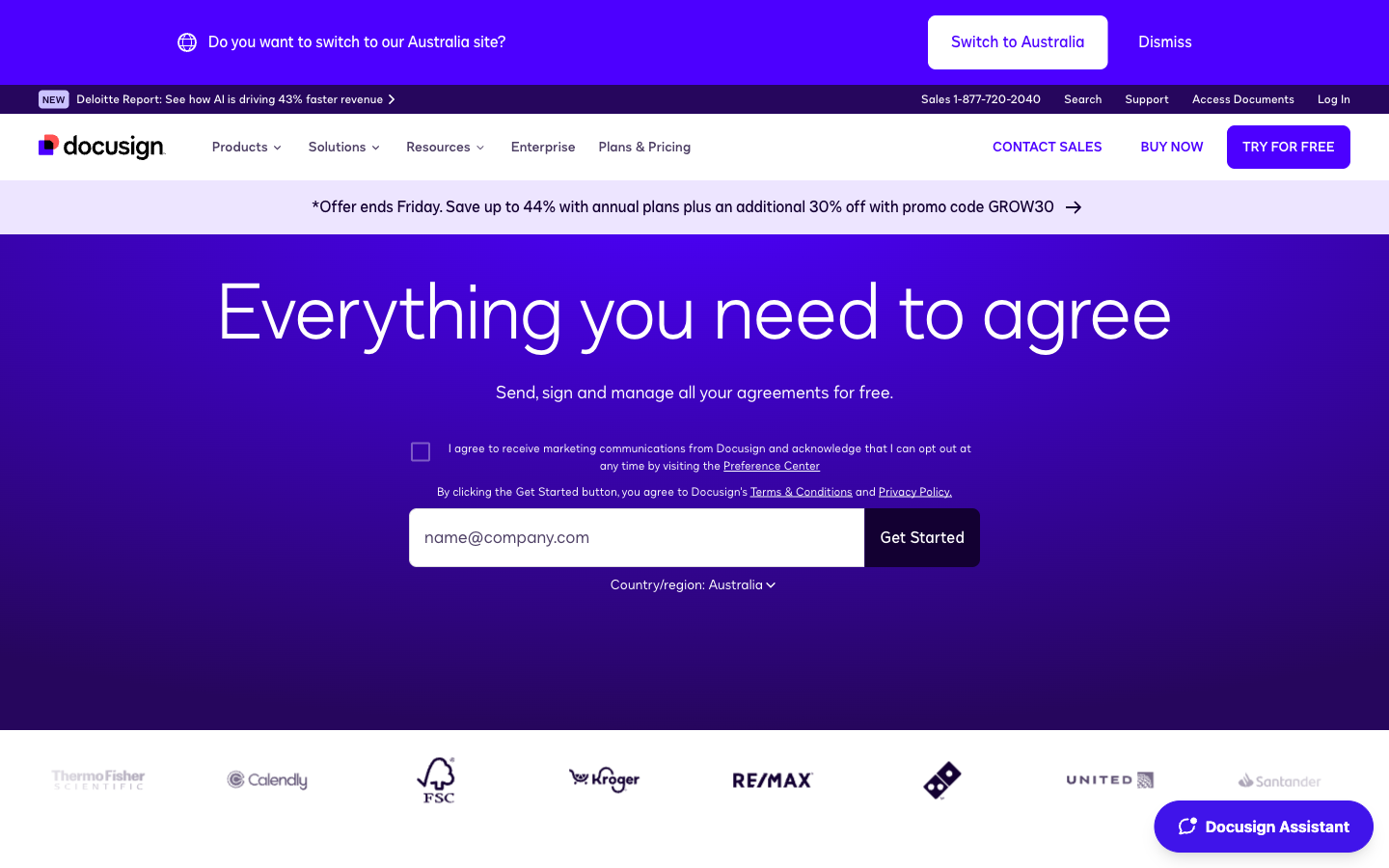
Nobody gets fired for choosing DocuSign, and for a certain kind of buyer that's the correct instinct. It has the deepest compliance stack in the category — SOC 2 Type II, ISO 27001/27017/27018, HIPAA BAAs, 21 CFR Part 11, and eIDAS Advanced and Qualified signatures through its own EU trust service provider — plus 900+ integrations and a platform that extends into contract lifecycle management, AI-assisted review, and identity verification. If you're in healthcare, financial services, or anywhere legal counsel reviews your vendor list, DocuSign clears the bar with the least friction. Recipients also simply trust a DocuSign email, which measurably helps completion rates.
The question is whether you need what you're paying for. DocuSign Standard is $45/user/month on monthly billing ($30 annual), and annual plans cap sending at roughly 100 envelopes per user per year — about 8 a month — with overage fees of $3-8 per envelope. A 5-person team pays $1,800/year for a pooled 500 envelopes. API access is a separate developer plan starting around $600/year. And the billing experience has real problems: DocuSign's Trustpilot rating sits around 1.5/5, dominated by auto-renewal and support complaints. For teams that just need documents signed, the enterprise machinery is cost without benefit — which is why DocuSign alternatives is one of the most-searched phrases in this category.
Best for: enterprises and regulated industries where procurement, compliance depth, and brand trust outweigh price.
 #4 PandaDoc — best for sales teams
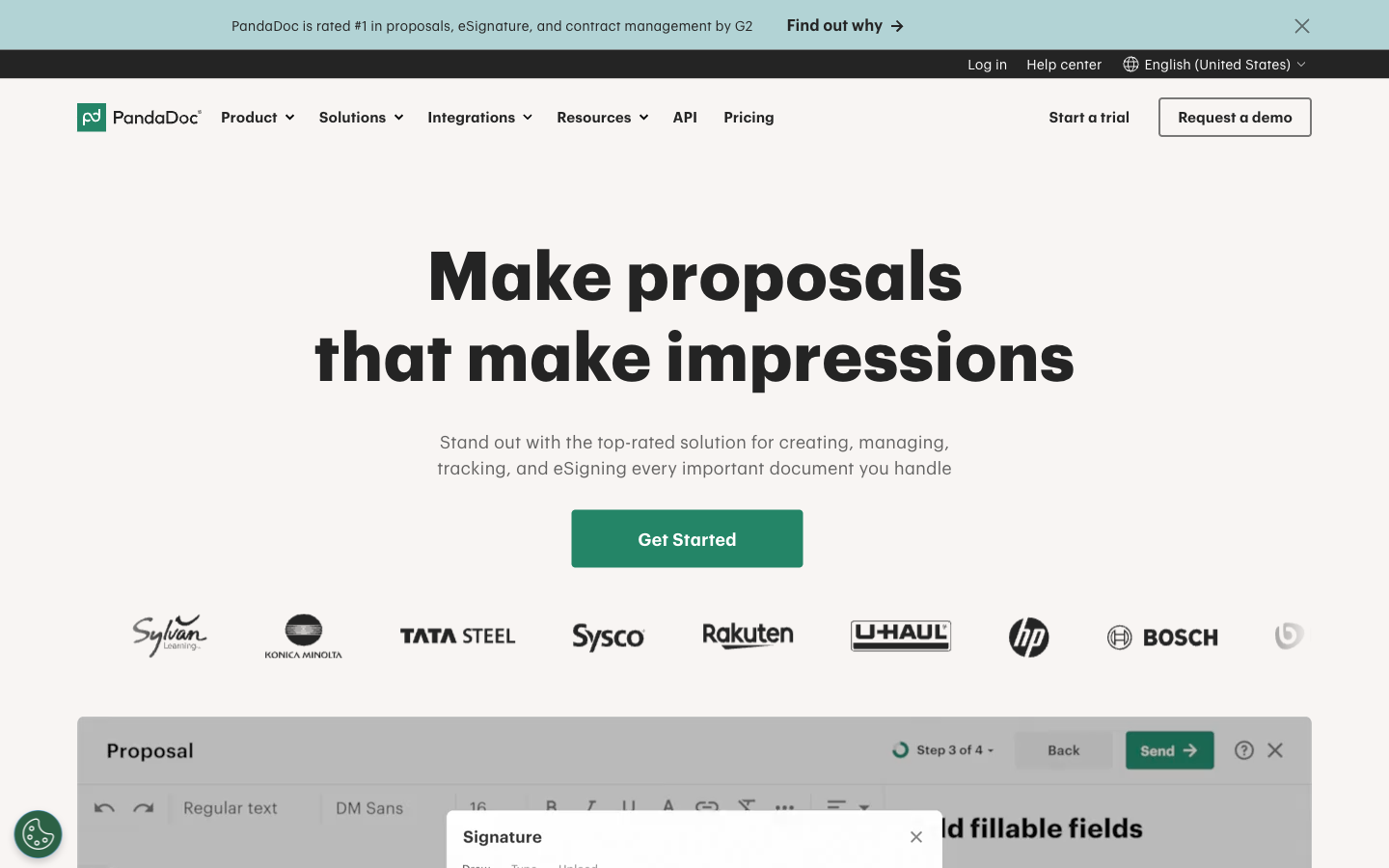
If your documents close deals, PandaDoc deserves the look. It's a sales-document suite where e-signature is one feature among proposals, quotes, CPQ, deal rooms, and payment collection, with a drag-and-drop editor that handles video, images, and interactive pricing tables. The CRM integrations are genuinely deep — two-way sync with Salesforce, HubSpot, Pipedrive, and Dynamics — and paid plans include unlimited documents. It scores 4.7/5 on G2 across 3,400+ reviews, with ease of use the most common praise.
Bought purely as an e-signature tool, though, it's an expensive way to sign. Every user needs a paid seat ($19-49/user/month billed annually), the Starter plan caps you at 5 templates since the 2024 plan restructure (which stripped pricing tables and payments from existing customers at the same price — its Trustpilot sits at 3.3/5 largely on billing complaints), and API access is either Enterprise-bundled or a separate $40/month metered plan. Sales teams get their money's worth from the suite; everyone else is paying for CPQ they'll never open.
Best for: sales and revenue teams sending proposals and quotes who want the document-to-cash pipeline in one tool.
 #5 Dropbox Sign — best for teams already on Dropbox
Dropbox Sign (the former HelloSign) still has one of the most pleasant signing experiences in the category — 4.7/5 on G2 across 2,200+ reviews, with ease of use the top-cited strength — and every paid plan includes unlimited signature requests, starting at $15/user/month. If your company's files live in Dropbox, signing directly from your storage is a real convenience no other tool matches.
Outside the Dropbox ecosystem, the case weakens. Development has visibly slowed since the 2019 acquisition: the SharePoint integration was discontinued in March 2026, the native integration catalog is small, and the product reads like a maintained side business. Template caps are tight (5 on Essentials, 15 on Standard), Standard has a 2-user minimum, the free plan allows just 3 requests a month with a single signer, and the API is a separate product at $75/month for 50 requests. There's no document editor either — it's upload-and-sign only. See our Dropbox Sign alternatives breakdown if the template caps are what's sending you here.
Best for: teams that live in Dropbox and want clean, unlimited signing bolted onto their storage.
 #6 SignNow — cheapest name-brand seat (read the fine print)
On sticker price, SignNow wins: $8/user/month billed annually for the Business plan, unlimited templates on every tier, solid mobile apps, and SMS signature invites that reach signers faster than email. It rates 4.6/5 on both G2 (1,755 reviews) and Capterra. As the e-signature arm of airSlate, it's the budget answer to DocuSign for teams that want a recognizable brand without DocuSign's invoice.
The fine print is the problem. Every seat plan now caps each user at 100 signature invites per year — about 8 a month — with overage fees between $0.96 and $3.60 per invite depending on tier. One Trustpilot reviewer reported a $198 overage charge on a $30/month subscription, and the pricing change has dragged SignNow's Trustpilot rating down to 3.1/5 across 3,100+ reviews. Add an API sold separately (from about $146/month), HIPAA gated to Site License quotes, and a dated upload-only interface, and "cheap" starts needing qualification. Do the volume math before you buy.
Best for: budget-conscious teams with predictable, low signing volume who want mobile and SMS signing.
 #7 Zoho Sign — best for Zoho shops
Inside the Zoho ecosystem, Zoho Sign is close to frictionless: 26+ native integrations with Zoho CRM, Books, People, Recruit, and Writer mean contracts flow out of the tools you already use, and the compliance credentials are stronger than the price suggests — SOC 2 Type II, ISO 27001, HIPAA, plus eIDAS Advanced and Qualified signatures via trust providers, and Aadhaar and Singpass signing for India and Singapore. Standard starts at $10/user/month billed annually.
Standalone, it's harder to recommend. Standard caps each user at 25 envelopes a month (unlimited sending needs Professional at $16/user/month), the interface follows Zoho suite conventions rather than modern doc-tool ones, third-party integrations beyond Zoho are thin, and bulk send, webhooks, and API access are locked to Enterprise or a separate credit-metered API plan. Reviewers on Capterra also report slow, sometimes unresponsive support. It rates a respectable but category-trailing 4.3/5 on G2.
Best for: businesses already paying for Zoho One or Zoho CRM who want signing inside the suite.
 #8 Signeasy — best mobile signing experience
Signeasy started life in 2010 as a mobile app and it shows, in a good way: its native iOS and Android apps are still the best in the category for signing, sending, and managing contracts entirely from a phone. It scores 4.7/5 on both G2 (756 reviews) and Capterra (458 reviews), took G2 Fall 2025 badges for fastest implementation and easiest setup, and its Gmail, Drive, Outlook, and Teams add-ons let people sign without leaving their inbox. Recent contract-management features (repository, renewal tracking, AI key-term extraction) push it past pure signing.
The pricing works against it for teams. Business is $20/seat/month and Business Pro $30/seat/month billed annually, so a 10-person team pays $2,400-3,600 a year for what is fundamentally simple signing; the $10 Personal plan allows just 5 sends a month; and bulk send, SSO, and HIPAA all require the contact-sales "Build Your Plan" tier. The API is metered separately at $125/month for 1,000 envelopes a year. There's no document editor, and reviewers report app crashes on long documents.
Best for: field teams and mobile-first professionals who sign more from a phone than a desk.
 #9 Documenso — best open-source and self-hosted option
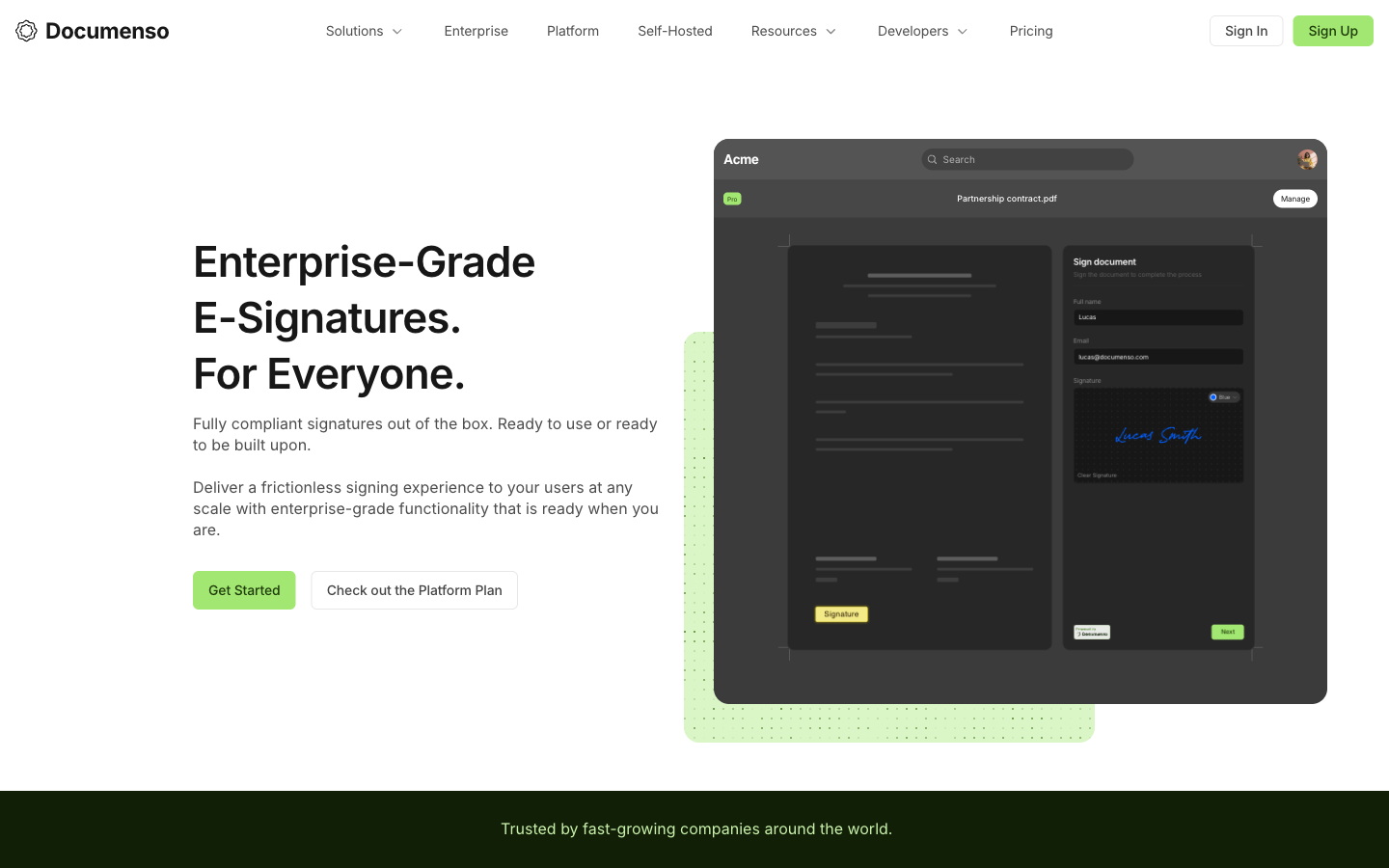
If your requirement is "our documents never leave our infrastructure," Documenso is the answer, and a well-built one. The entire product — UI, API, audit trail — is public on GitHub under AGPL-3.0 (~13.7k stars), the Community Edition self-hosts for free with unlimited documents, and embedded signing via React and Vue SDKs is a first-class feature rather than an enterprise upsell. The company even publishes its metrics and finances publicly. For security teams that want to audit every line of code touching their contracts, nothing else on this list comes close.
Choose it knowing what you're signing up for. Self-hosting means you become the uptime, backup, patching, and compliance department for a legally significant system — lose the database, lose the audit trails. The hosted plans are middling value (Free caps at 5 documents/month; Individual is $25/month for one user), whitelabel embedding needs the $250/month Platform plan or a commercial license because of AGPL obligations, and signer verification is essentially email-only. Founded in 2023 with ~$2.2M raised, it's also a young company. Our open-source vs hosted guide covers when that trade is worth it.
Best for: developers and organizations with hard self-hosting or data-residency requirements — and the ops capacity to own them.
 #10 OneSpan Sign — best for banks and regulated enterprise
OneSpan Sign is the specialist's pick. More than 60% of the world's 100 largest banks use it (per OneSpan), and the feature list explains why: on-premise and private-cloud deployment, out-of-the-box eIDAS Advanced and Qualified signatures, FedRAMP, government-ID verification with liveness detection, remote online notarization, and a fully white-labeled signing UI. Despite the enterprise focus, users like it — 4.7/5 on both G2 and Capterra, with support quality rated unusually high.
It ranks tenth not because it's weak but because almost nobody reading a best-of list should buy it. There is no public pricing — deals are sales-led and volume-banded, with third parties reporting ~$22/user/month for the Professional tier and $0.50-2 per-envelope overages beyond quota. Bulk send, SSO, white-labeling, and SMS authentication are Enterprise-only, the interface feels dated, and there's no Zapier or Make connectivity — automation runs through enterprise iPaaS. If you have to ask the price, it isn't for you; if you're a bank, it might be exactly for you.
Best for: banks, insurers, and government agencies with strict identity-verification and deployment mandates.
Worth a mention
Four tools didn't crack the top ten but fit specific situations. Adobe Acrobat Sign makes sense if your company already pays for Acrobat — signing is bundled in — but team licenses are annual-only, the API lives in the quote-only Acrobat Sign Solutions product, and Solutions user licenses carry a 150-transactions-per-user-per-year limit. Xodo Sign (formerly eversign) offers unlimited documents from $10/month, cheap but two rebrands deep under PDF-SDK company Apryse. Jotform Sign comes free with every Jotform plan, though document caps are hard (100/month on the $39 Bronze tier) and every self-serve plan is single-user. Signaturely and DocHub handle occasional signing fine, but both thin out fast — Signaturely's $25/month Personal plan allows 5 requests a month, and DocHub is a PDF editor first with no Zapier support at all.
See them in action
Independent video reviews are useful for a feel of the interfaces before you commit. Two worth watching for the top-of-market picks:
Pricing compared
Sticker prices mislead in this category; limits and per-seat math decide what you actually pay. Three numbers worth holding onto. A 5-person team on annual billing pays $1,200/year on Papersign Pro (unlimited documents, no overage fees), $480/year on SignNow Business (capped at 100 invites per user per year, with per-invite overages once the pool runs out), and $1,800/year on DocuSign Standard (pooled 500 envelopes, then $3-8 each). The seat price only decides the bill if your volume stays under the caps. Templates follow a similar pattern: unlimited on SignNow and Zoho Sign paid tiers, capped at 5 on PandaDoc Starter, Dropbox Sign Essentials, and SignWell Light. And API pricing is its own budget line at most vendors — roughly $600/year at DocuSign, $75/month at Dropbox Sign, $40/month metered at PandaDoc — where Papersign bundles API access into Pro and SignWell meters per document with no monthly minimum.
Papersign
SignWell
| Product | Plan | Monthly Price | Annual Price (per month) | Free Plan | Free Trial | Limits |
|---|---|---|---|---|---|---|
| Papersign | Free | Free | Free | Yes | No | documents: 3, users: Unlimited |
| Papersign | Pro | $24/user | $20/user | documents: Unlimited*, users: Unlimited seats (each user billed), api requests: 10 documents per seat, per month | ||
| SignWell | Free | Free | Free | Yes | Free plan acts as ongoing trial (3 documents/month) | documents: 3 per month, templates: 1, users: 1, api requests: 3 free API documents/month |
| SignWell | Light | $12/mo | $10/mo billed annually | documents: Unlimited, templates: 5 per sender, users: 1 sender included; extra senders $10-12/mo each, api requests: 15 free API documents/month, then pay-as-you-go | ||
| SignWell | Business | $36/mo | $30/mo billed annually | documents: Unlimited, templates: Unlimited, users: 3 senders included; extra senders $12-15/mo each, api requests: 25 free API documents/month, then pay-as-you-go | ||
| SignWell | API (pay-as-you-go) | Usage-based | Not listed | documents: First 25 API documents/month free, then $0.85/doc down to $0.20+/doc with volume | ||
| DocuSign | Personal | $15/mo | $11/mo billed annually | Yes | 30 days | documents: 5 envelopes per month, users: 1 |
| DocuSign | Standard | $45/mo | $30/mo billed annually | documents: 100 envelopes per user per year (annual plans); ~10/user/month on monthly billing, users: Up to 50 (per-user pricing) | ||
| DocuSign | Business Pro | $65/mo | $45/mo billed annually | documents: 100 envelopes per user per year (annual plans), users: Up to 50 (per-user pricing) | ||
| DocuSign | Enhanced Plans (Enterprise) | Contact sales | Not listed | documents: Custom envelope allowance, users: 50+ | ||
| PandaDoc | Free | Free | Free | Yes | 14 days | documents: 5 per month (~60 per year) |
| PandaDoc | Starter | $35/mo | $19/mo billed annually | documents: Unlimited, templates: 5, users: Per-seat pricing | ||
| PandaDoc | Business | $65/mo | $49/mo billed annually | documents: Unlimited, templates: Unlimited, users: Per-seat pricing | ||
| PandaDoc | Enterprise | Custom | Custom | documents: Unlimited, templates: Unlimited, users: Per-seat or per-document licensing | ||
| Dropbox Sign | Free | Free | Not listed | Yes | 30 days | documents: 3 signature requests/month, templates: 0, users: 1 |
| Dropbox Sign | Essentials | $15/mo | $10.05/mo billed annually | documents: Unlimited signature requests, templates: 5, users: 1 | ||
| Dropbox Sign | Standard | $25/mo | $17.5/mo billed annually | documents: Unlimited signature requests, templates: 15, users: 2-5 (2-user minimum; contact sales beyond 5) | ||
| Dropbox Sign | Premium | Custom quote | Not listed | documents: Unlimited signature requests, templates: Unlimited, users: 5+ | ||
| Dropbox Sign | API Essentials | $75/mo | $900/mo billed annually | documents: 50 signature requests/month (starting), api requests: 50 signature requests/month | ||
| Dropbox Sign | API Standard | $250/mo | $3000/mo billed annually | documents: 100 signature requests/month (starting), api requests: 100 signature requests/month | ||
| Dropbox Sign | API Premium | Custom quote | Not listed | documents: 100+ signature requests/month | ||
| SignNow | Business | $20/mo | $8/mo billed annually | No | 7 days | documents: 100 signature invites per user per year on annual billing (10 per month on monthly billing, no rollover); overage ~$0.96–$1.50 per extra invite, templates: Unlimited, users: Unlimited seats (per-user pricing) |
| SignNow | Business Premium | $30/mo | $15/mo billed annually | documents: 100 signature invites per user per year; overage ~$1.80 per extra invite, templates: Unlimited, users: Unlimited seats (per-user pricing) | ||
| SignNow | Enterprise | $50/mo | $30/mo billed annually | documents: 100 signature invites per user per year; overage ~$3.60 per extra invite, templates: Unlimited, users: Unlimited seats (per-user pricing) | ||
| SignNow | Site License | Custom (quote-based) | From ~$1.50 per signature invite (volume-based; ~$1.75/invite at 1,000-invite minimum commitment) | documents: Volume commitment, priced per invite, users: Unlimited | ||
| SignNow | API plans | From ~$146/month (billed annually) for ~1,000 invites/year | Not listed | api requests: Tiered by annual invite volume | ||
| Zoho Sign | Free | Free | Free | Yes | 14 days (Enterprise trial) | documents: 5 envelopes/month, templates: 1, users: 1 |
| Zoho Sign | Standard | $12/mo | $10/mo billed annually | documents: 25 envelopes per user/month, templates: Unlimited | ||
| Zoho Sign | Professional | $20/mo | $16/mo billed annually | documents: Unlimited, templates: Unlimited | ||
| Zoho Sign | Enterprise | $28/mo | $22/mo billed annually | documents: Unlimited, templates: Unlimited | ||
| Signeasy | Personal | $10/mo | $10/mo billed annually | Yes | Yes | documents: 5 document sends per month (unlimited self-signing), templates: 5, users: 1 |
| Signeasy | Business | $20/mo | $20/mo billed annually | documents: Unlimited, templates: Unlimited | ||
| Signeasy | Business Pro | $30/mo | $30/mo billed annually | documents: Unlimited, templates: Unlimited | ||
| Signeasy | API Starter (Sandbox) | Free | Not listed | api requests: 100 test envelopes | ||
| Signeasy | API Intermediate | $125/mo | $1499/mo billed annually | api requests: 1,000 envelopes/year | ||
| Signeasy | API Advanced | $250/mo | $2999/mo billed annually | api requests: 2,000 envelopes/year | ||
| Documenso | Free | Free | Not listed | Yes | No | documents: 5 per month, users: 1 |
| Documenso | Individual | $25/mo | $25/mo billed annually | documents: Unlimited, users: 1 | ||
| Documenso | Teams | $40/mo | $40/mo billed annually | documents: Unlimited, users: 5 included, +$8/user/month | ||
| Documenso | Platform | $250/mo | $250/mo billed annually | documents: Unlimited, users: Unlimited, api requests: Unlimited | ||
| OneSpan Sign | Professional | ~$22/user (billed annually, per third-party sources) | Not listed | No | 30 days | documents: Unlimited transactions claimed on Professional plan (third-party sources), users: Per-sender pricing; signers free |
| OneSpan Sign | Enterprise | Contact sales | Not listed | documents: Volume-based transaction bands negotiated with sales; overage fees may apply |
How they score with users
Review ratings cluster tightly at the top of this market — most of these tools score 4.5-4.8 on G2 and Capterra — so the spread worth watching is Trustpilot, where billing practices show up: SignWell and Signeasy hold strong scores everywhere, while DocuSign (1.5/5) and SignNow (3.1/5) carry Trustpilot ratings dominated by renewal and overage complaints. PandaDoc's 3.3/5 there tells the same story against its excellent 4.7/5 G2 average.
How we evaluated
This list is published by Papersign, and Papersign ranks first, so you should know how we got there. We compared 14 e-signature platforms on the dimensions that generate the most real-world complaints and switching behavior: document and envelope limits, per-user vs flat pricing, what a 5-seat team pays per year, template caps, workflow features (signing order, bulk send, reminders), API access and its price, compliance attestations (ESIGN/UETA, eIDAS, SOC 2, HIPAA, GDPR) and audit-trail quality, and aggregated ratings across G2, Capterra, and Trustpilot. Pricing was verified against each vendor's public pricing page in July 2026; where a vendor publishes no pricing (OneSpan), we cite third-party reports and say so.
We also ranked against our own interests where the evidence pointed that way: DocuSign is the right call for regulated enterprises, PandaDoc for sales suites, Documenso if you must self-host, OneSpan for banks. Papersign takes the overall spot not because it's the cheapest — SignNow and Documenso undercut it per seat — but because unlimited signed documents, API access included in Pro, a built-in document editor, and SOC 2 on a genuinely usable free plan fit the largest share of actual buyers — small businesses and teams — better than anything else we tested. If your situation matches one of the specialist picks, take the specialist.
Frequently Asked Questions
Which e-signature software is best for a small business?
What is the best e-signature software for freelancers?
Which e-signature tool should an enterprise choose?
Is free e-signature software good enough?
What should I look for when choosing e-signature software?
What is the cheapest e-signature software for a 5-person team?
Do all of these tools produce legally binding signatures?
Sources & References
- DocuSign pricing and plans — DocuSign, verified July 2026
- SignWell pricing — SignWell, verified July 2026
- PandaDoc pricing — PandaDoc, verified July 2026
- Dropbox Sign plans and pricing — Dropbox Sign, verified July 2026
- Zoho Sign pricing — Zoho Sign, verified July 2026
- Documenso pricing and Community Edition licensing — Documenso, verified July 2026
- OneSpan Sign plans and pricing — OneSpan, fetched July 2026
- DocuSign reviews on Trustpilot — Trustpilot, July 2026
- SignNow reviews on Trustpilot — Trustpilot, July 2026
- Docusign Review 2026 | All You Need To Know — YouTube, May 2026
- My Brutally Honest SignNow Review 2026 | Bye DocuSign? — YouTube, March 2026
- Adobe Acrobat Sign transaction limits — Adobe
Last updated October 7, 2026
Ready to try Papersign?
Send, sign, and manage documents in minutes — simple, fast e-signatures without the bloat.
Get Papersign FreeFree plan available, no credit card required