
Best DocuSign Alternatives for 2026
The best DocuSign alternative for most teams is Papersign — unlimited signed documents from $20/user/month billed annually, with no envelope caps or overage fees, plus a free plan covering 3 documents a month. Below, six alternatives compared on pricing, document limits, workflows, compliance, and reviews.
Why people leave DocuSign
Nobody disputes that DocuSign works. It's the brand recipients recognize, it holds the deepest compliance stack in the category, and 1.7 million customers use it. The reasons people leave are almost all about what it costs to keep, in money and in patience.
Start with the number most buyers miss: DocuSign's Standard and Business Pro annual plans cap sending at 100 envelopes per user per year (about 8 a month), with overages running roughly $3 to $8 per extra envelope. That cap sits in the pricing fine print, and plenty of teams find out about it from an invoice. Layer on per-user pricing ($45/user/month for Standard on monthly billing, $65 for Business Pro) and add-ons priced separately (SMS delivery from $0.36, ID verification from $2.40 per attempt, API access from around $600/year on its own developer plans), and a five-person team can spend thousands a year to send a modest volume of contracts.
Then there's the billing experience. DocuSign scores 1.5/5 on Trustpilot across 1,168 reviews, with roughly 75% of reviewers leaving one star. Most cite auto-renewal charges they couldn't reverse and support they couldn't reach. Its product reviews on G2 (4.5/5) are far kinder, which tells you the software is fine; the relationship is what sours. If you're paying enterprise prices, hitting envelope caps, and can't get billing on the phone, the alternatives below are worth an afternoon of your time.
DocuSign alternatives at a glance
| Feature | Papersign | DocuSign | PandaDoc | Dropbox Sign | SignWell | SignNow | Zoho Sign |
|---|---|---|---|---|---|---|---|
| Document Creation & Editing | |||||||
| Rich editor to create documents from scratch | Yes | No | Yes | No | No | No | No |
| Web forms | No | Yes Business Pro | No | No | No | No | No |
| Document generation | No | Yes Enterprise | No | No | No | No | No |
| Template library | No | No | 750+ | No | No | No | No |
| Pricing tables and quotes | No | No | Yes Business | No | No | No | No |
| Signing Experience | |||||||
| Real-time tracking and notifications | Yes | Yes | Yes | Yes | Yes | No | Yes |
| Manual signing links | Yes Pro | No | No | No | No | No | No |
| Unlimited users | Yes | No | No | No | No | No | No |
| Signing order / routing | No | Yes | No | No | No | No | No |
| In-person signing | No | Yes | No | Yes Standard | No | No | Yes Enterprise |
| Workflows & Automation | |||||||
| Paperform integration | Yes | No | No | No | No | No | No |
| Bulk sending | Yes Pro | No | No | No | Yes Business | No | No |
| Custom email notifications | Yes Pro | Yes Standard | Yes | Yes Standard | No | No | Yes Professional |
| Webhooks | Yes Pro | No | Yes | Yes API plans | Yes | Yes | Yes Enterprise |
| Conditional routing / advanced workflows | No | Yes Enterprise | No | No | No | No | No |
| Security & Compliance | |||||||
| Activity trail | Yes | No | No | No | No | No | Yes |
| Signed document certificate | Yes | No | No | No | No | No | Yes |
| Consent agreement | Yes | No | No | No | No | No | No |
| Local data residency | Yes Enterprise | Yes Enterprise | No | Yes Premium | No | No | No |
| HIPAA support (BAA) | No | Yes Enterprise | No | No | No | No | No |
| Identity Verification | |||||||
| Signer email verification | Yes Pro | Yes | Yes | Yes | Yes | No | Yes |
| SSO (SAML) | Yes Enterprise | Yes Enterprise | Yes Enterprise | Yes Standard | No | No | No |
| SMS / phone OTP authentication | No | Yes | No | No | No | No | No |
| ID document verification | No | Yes | No | No | No | No | No |
| Knowledge-based authentication (KBA) | No | Yes | No | No | No | No | No |
| Integrations & API | |||||||
| Papersign API | Yes Pro | No | No | No | No | No | No |
| Webhooks | Yes Pro | Yes | Yes | No | No | No | Yes Enterprise |
| Public API | No | Yes | Yes | No | No | No | No |
| Native integrations | No | 900+ | No | 19+ | Yes | No | No |
| Zapier | No | Yes | Yes | Yes | 5,000+ apps | Yes | Yes |
| Team & Branding | |||||||
| Team document organisation | Yes Pro | Yes Standard | No | No | No | No | No |
| Email/chat support | Yes | No | No | No | No | No | No |
| Dedicated CSM | Yes Enterprise | Yes Enterprise | Yes Enterprise | No | No | No | No |
| SLA | Yes Enterprise | Yes Enterprise | Yes Enterprise | No | No | No | No |
| Custom branding | No | Yes Standard | Yes Business | Yes Standard | Yes Business | Yes Business Premium | Yes Professional |
| Templates | |||||||
| Reusable templates | No | Yes | Yes | Yes | Yes | Unlimited | No |
| Template sharing across teams | No | Yes Standard | No | No | No | No | No |
| Template gallery | No | No | 750+ | Yes | No | No | No |
| Template links | No | No | No | Yes | No | No | No |
| Template gallery / free contract templates | No | No | No | No | Yes | No | No |
1. Papersign — best for unlimited documents with nothing metered
Papersign is built by Paperform (bootstrapped, profitable, around since 2016) and takes the opposite approach to DocuSign on the two things that push people out the door. First, documents: Papersign Pro includes unlimited signed documents for $24/user/month, or $20/user/month billed annually — there is no envelope allowance to track and no overage rate to memorize. Second, seats: pricing is per user but there are no seat caps or tier-gated user limits, and each seat costs a third less than DocuSign Standard's. Five people on Papersign Pro annual: $100/month, sending as much as they like. The same five on DocuSign Standard: $150/month, each seat capped at 100 envelopes a year.
It also does something DocuSign reserves for its separate Document Generation and CLM products: a doc-style rich editor for drafting agreements, proposals, and consent forms from scratch, alongside the usual upload-a-PDF-and-drop-fields flow. Signatures are ESIGN/UETA compliant with a full activity trail and signed document certificate, and Papersign is SOC 2 Type II and GDPR compliant on every plan — the free tier included, not gated behind an enterprise contract. The API comes with Pro (10 API-signed documents per seat per month, unlimited on Enterprise) rather than as a separate $600-a-year line item.
Where it trails DocuSign: the native integration catalog is small (Paperform, API, webhooks — no 900-app directory), and there's no government-ID or biometric signer verification. Papersign the product launched in 2023, so it's the youngest tool on this list, though the parent company isn't.
Best for: small businesses and teams that send documents regularly and are done doing envelope math.
 2. PandaDoc — best for sales teams that want proposals and signing together
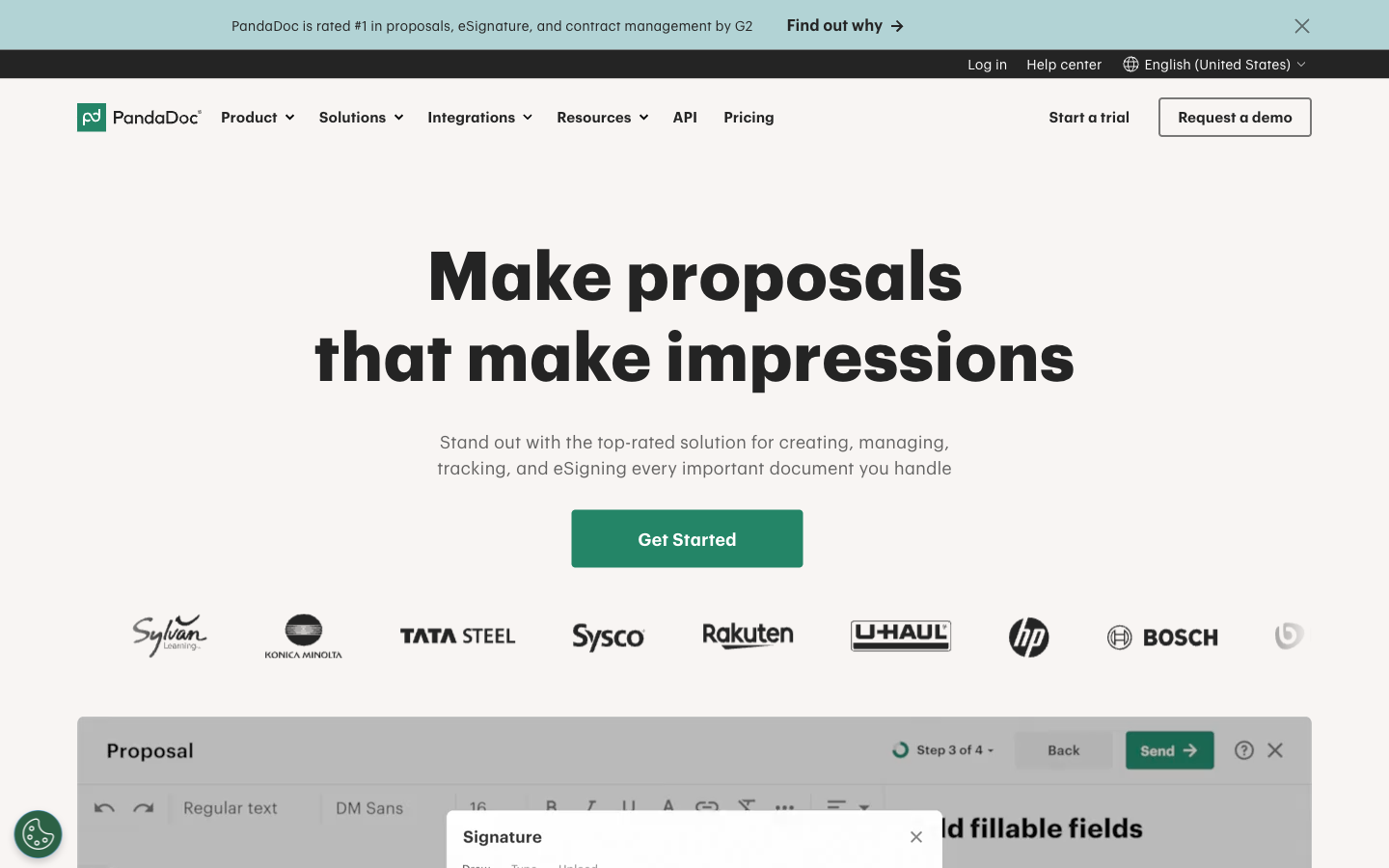
PandaDoc answers a different question than DocuSign does. DocuSign sells you signing and charges extra to generate documents; PandaDoc starts with the document — a drag-and-drop editor with video, pricing tables, and quotes — and includes signing as the last step. All paid PandaDoc plans include unlimited documents and e-signatures, from $19/user/month billed annually, so DocuSign's envelope cap has no equivalent here. Its compliance coverage runs deep too: SOC 2 Type II, HIPAA with a BAA, eIDAS up to QES, and 21 CFR Part 11, making it one of the few tools on this list that can follow DocuSign into regulated industries. It holds a 4.7/5 on G2 across roughly 3,400 reviews.
Where it falls short: the per-seat model bites the same way DocuSign's does. Everyone who touches a document needs a paid seat, and the useful CRM features start on the $49/user/month Business tier. The Starter tier caps templates at 5, a limit introduced in the 2024 plan restructure that stripped features from existing customers and dragged its Trustpilot rating down to 3.3/5. And API access is Enterprise-only or a separate metered plan ($40/month for 40 documents, then $4 each).
Best for: sales teams replacing DocuSign and a proposal tool at the same time.
 3. Dropbox Sign — best if your files already live in Dropbox
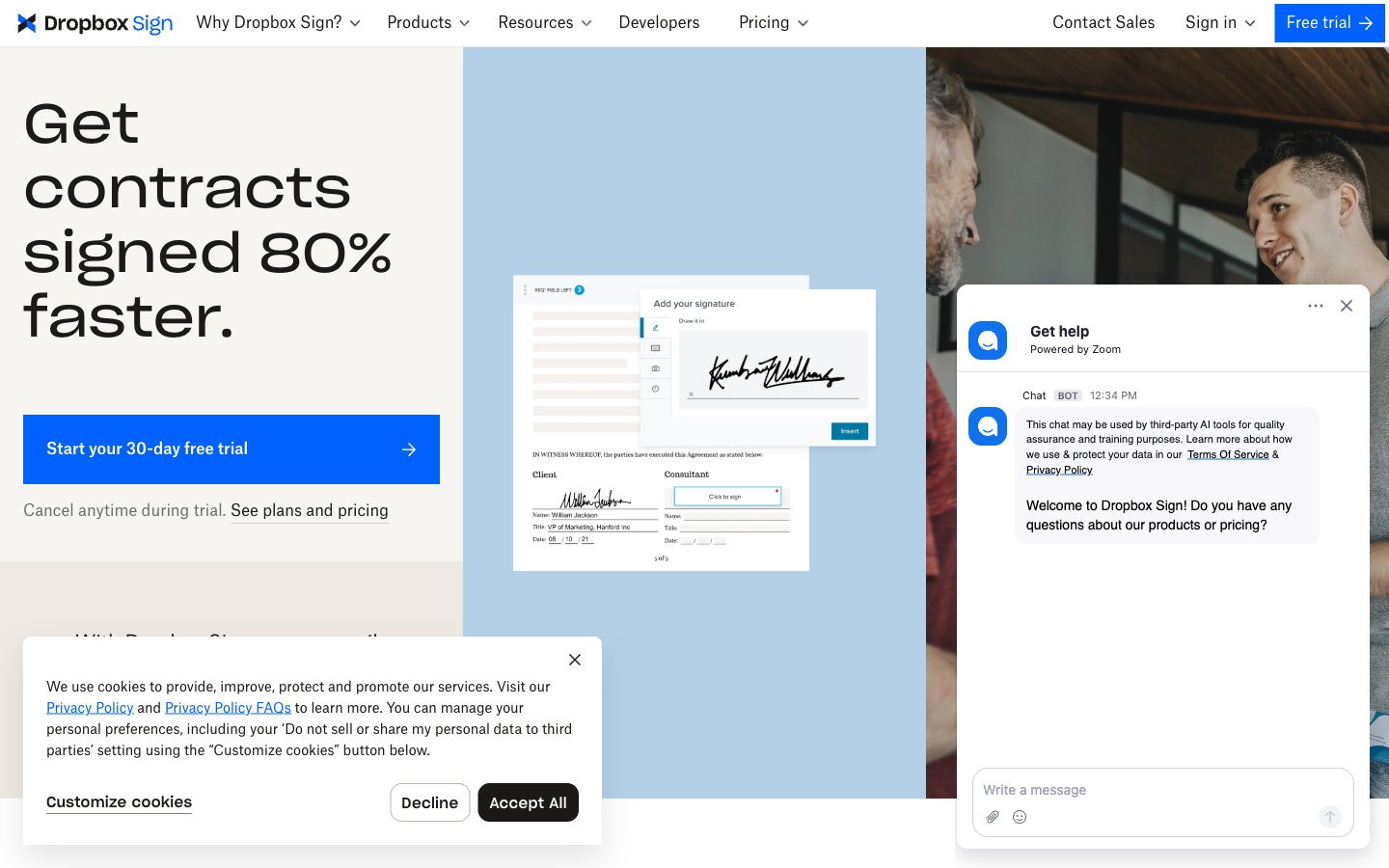
Dropbox Sign is what HelloSign became after Dropbox bought it in 2019, and the core appeal survived the acquisition: a signing flow that reviewers consistently rate easier than DocuSign's, reflected in a 4.7/5 on both G2 (2,266 reviews) and Capterra. Every paid plan includes unlimited signature requests, starting at $15/month for a single user ($10.05 billed annually) — a third of DocuSign Standard's monthly price, with no annual envelope ceiling. If your team stores contracts in Dropbox, signing happens right where the files sit.
Where it falls short: the caps moved from envelopes to templates — 5 on Essentials, 15 on Standard — and Standard has a 2-user minimum, so a solo operator wanting its features pays for two seats. The API is a separate product entirely ($75/month for 50 requests). Development has visibly slowed since the acquisition; the SharePoint integration was discontinued in March 2026, and the free plan (3 requests a month, one signer, no templates) is close to decorative. Outside the Dropbox ecosystem, its main advantage disappears.
Best for: Dropbox-centric teams that want simple, unlimited sending.
 4. SignWell — best budget pick for solo senders
SignWell exists almost as a rebuttal to DocuSign's pricing. Its Light plan costs $10/month billed annually and includes unlimited documents — what DocuSign meters by the envelope, SignWell simply doesn't count. Users seem to appreciate the trade: it rates 4.8/5 on G2 and 4.9/5 on Capterra, among the best scores of any e-signature tool. Its pay-as-you-go API is also the most developer-friendly way off DocuSign's $600/year API plans: 25 free API documents a month, then $0.85 per document with no monthly minimum. Compliance covers ESIGN/UETA, eIDAS, GDPR, HIPAA, and SOC 2 Type II.
Where it falls short: it's upload-only — you can't draft or edit a document inside SignWell — and native integrations stop at Close CRM and QuickBooks (everything else is Zapier). Additional senders cost $10–15/month each, so the bargain fades as the team grows. It's also a very small bootstrapped operation, with no SSO, SLA, or data residency for buyers who need enterprise assurances.
Best for: freelancers and one-to-three-person teams who mostly send existing PDFs.
 5. SignNow — cheapest per seat, but read the fine print
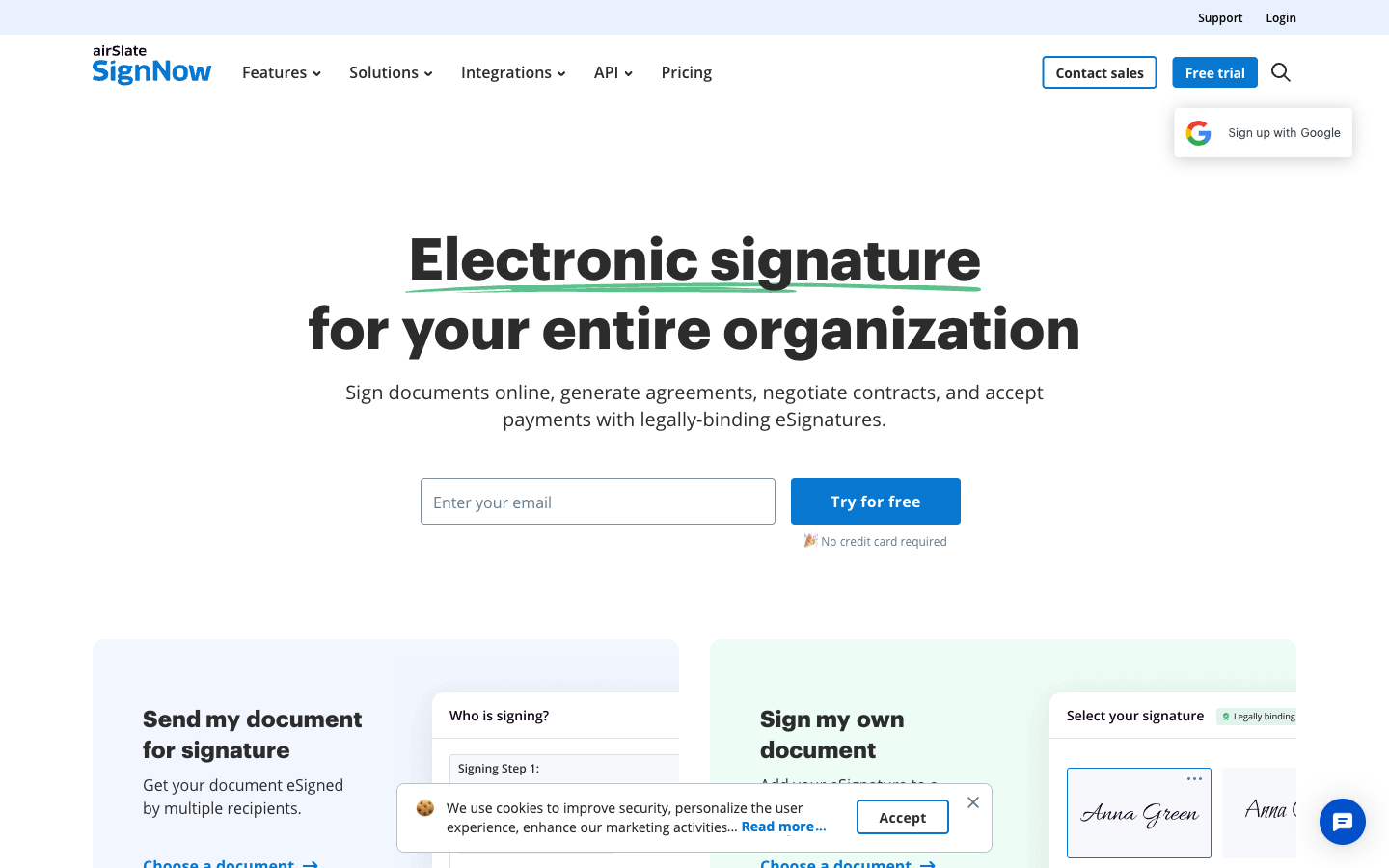
On the sticker, SignNow is the budget DocuSign: $8/user/month billed annually against DocuSign Standard's $30, with unlimited templates on every tier, a well-reviewed mobile app, and SMS signature invites that get contracts opened faster than buried emails. It holds a 4.6/5 on both G2 (1,755 reviews) and Capterra.
Where it falls short: in 2025 SignNow adopted the very policy that drives people off DocuSign — a 100-signature-invites-per-user-per-year cap on all seat plans, with overages of $0.96 to $3.60 per invite. One Trustpilot reviewer reported a $198 overage charge on a $30/month subscription, and the backlash has its Trustpilot rating at 3.1/5 across 3,100+ reviews. API access isn't on any seat plan (separate plans from about $146/month), HIPAA requires a quote-based Site License, and advanced workflow features funnel you into other airSlate products. If you're leaving DocuSign because of envelope caps and surprise bills, SignNow replaces the logo, not the problem.
Best for: price-sensitive teams sending fewer than ~8 documents per user per month, eyes open.
 6. Zoho Sign — best for teams already on Zoho
If your CRM, books, and HR system are already Zoho apps, Zoho Sign is the path of least resistance away from DocuSign. Professional costs $16/user/month billed annually with unlimited documents, and the compliance list rivals DocuSign's: SOC 2 Type II, ISO 27001, HIPAA, eIDAS AES/QES via trust providers, even Aadhaar and Singpass signing plus 21 CFR Part 11 controls on Enterprise. It's rated 4.3/5 on G2 and 4.5/5 on Capterra, though on far fewer reviews (roughly 70 and 94) than the bigger names here.
Where it falls short: the cheaper tiers keep envelope caps (5/month free, 25 per user per month on Standard), bulk send and API access sit on the Enterprise tier or a separate credit-metered API plan, and per-user billing still scales with headcount. Outside the Zoho suite the integration story thins out fast, and the interface follows Zoho's admin-console conventions — familiar if you live there, clunky if you don't. Capterra reviewers also report slow support responses.
Best for: committed Zoho-suite businesses consolidating vendors.
Free DocuSign alternatives
"Free DocuSign alternative" is one of the most common searches in this category, so here is the honest state of free tiers in 2026:
- Papersign Free — 3 signed documents/month. The only free plan here that includes a full document editor, activity trail, real-time tracking, and SOC 2 Type II compliance without payment. Enough for a freelancer signing a few client contracts a month.
- SignWell Free — 3 documents/month, 1 template, 1 user. Solid basic signing with unlimited free signers.
- PandaDoc Free — 5 documents/month. Legally binding signatures and tracking, but you're mostly being introduced to the paid document suite.
- Zoho Sign Free — 5 envelopes/month, 1 user, 1 template. Includes an audit trail and completion certificate.
- Dropbox Sign Free — 3 signature requests/month, single signer, no templates. Unlimited self-signing, but the request cap makes it impractical for sending.
- DocuSign Free — signing only. You can sign documents sent to you and send a very limited number yourself. SignNow has no free plan at all, only a 7-day trial.
If you send more than a handful of documents a month, no free tier will hold — but the jump doesn't have to be to $45/user/month. Papersign's free-to-Pro upgrade is $24/user/month (or $20/user billed annually), unlimited documents included and nothing metered on top.
See them in action
Independent video reviews are a fast way to gut-check a switch before you commit:
Full feature comparison
| Feature | Papersign | DocuSign | PandaDoc | Dropbox Sign | SignWell | SignNow | Zoho Sign |
|---|---|---|---|---|---|---|---|
| Document Creation & Editing | |||||||
| Upload and sign PDFs | Yes | Yes | Yes | Yes | Yes | Yes | Yes |
| Rich editor to create documents from scratch | Yes | No | Yes | No | No | No | No |
| Web forms | No | Yes Business Pro | No | No | No | No | No |
| Document generation | No | Yes Enterprise | No | No | No | No | No |
| Template library | No | No | 750+ | No | No | No | No |
| Pricing tables and quotes | No | No | Yes Business | No | No | No | No |
| CPQ (configure, price, quote) | No | No | Yes Enterprise | No | No | No | No |
| Auto-populated fields | No | No | No | Yes Essentials | No | No | No |
| Fillable fields & annotations | No | No | No | No | No | Yes | No |
| Conditional fields | No | No | No | No | No | Yes Enterprise | No |
| Templates | No | No | No | No | No | No | Yes Free (1); Standard+ (unlimited) |
| Merge fields / prefill via integrations | No | No | No | No | No | No | Yes |
| Signing Experience | |||||||
| Legally binding e-signatures | Yes | Yes | Yes | Yes | Yes | Yes | Yes |
| Real-time tracking and notifications | Yes | Yes | Yes | Yes | Yes | No | Yes |
| Automatic reminders | Yes | Yes | Yes | Yes | Yes | Yes Business Premium | Yes |
| Manual signing links | Yes Pro | No | No | No | No | No | No |
| Unlimited users | Yes | No | No | No | No | No | No |
| Signing order / routing | No | Yes | No | No | No | No | No |
| In-person signing | No | Yes | No | Yes Standard | No | No | Yes Enterprise |
| Bulk send | No | Yes Business Pro | Yes Business | Yes Standard | No | No | Yes Enterprise |
| SMS delivery | No | Yes | No | No | No | No | No |
| Mobile signing (native apps) | No | Yes | No | No | No | No | No |
| Payment collection at signing | No | Yes Business Pro | Yes | No | No | No | No |
| Signing order | No | No | Yes | Yes | Yes | No | No |
| Mobile signing | No | No | Yes | Yes | Yes | No | No |
| Multi-language signing | No | No | No | 22 languages | No | No | No |
| Unlimited free signers | No | No | No | No | Yes | No | No |
| Signing order / sequential routing | No | No | No | No | No | Yes | No |
| In-person / kiosk signing | No | No | No | No | No | Yes Business Premium | No |
| Bulk sending | No | No | No | No | No | Yes Business Premium | No |
| Signing link sharing | No | No | No | No | No | Yes Business Premium | No |
| SMS signature invites | No | No | No | No | No | Yes | No |
| Mobile apps (iOS/Android) | No | No | No | No | No | Yes | No |
| Unlimited signature invites | No | No | No | No | No | No | No |
| Signing order / sequential signing | No | No | No | No | No | No | Yes |
| Witness and delegate signing | No | No | No | No | No | No | Yes Standard |
| SignForms (public signing links) | No | No | No | No | No | No | Yes Enterprise |
| Workflows & Automation | |||||||
| Paperform integration | Yes | No | No | No | No | No | No |
| Bulk sending | Yes Pro | No | No | No | Yes Business | No | No |
| Custom email notifications | Yes Pro | Yes Standard | Yes | Yes Standard | No | No | Yes Professional |
| Webhooks | Yes Pro | No | Yes | Yes API plans | Yes | Yes | Yes Enterprise |
| Conditional routing / advanced workflows | No | Yes Enterprise | No | No | No | No | No |
| Webhooks (Connect) | No | Yes | No | No | No | No | No |
| PowerForms (on-demand signing links) | No | Yes Business Pro | No | No | No | No | No |
| Approval workflows | No | No | Yes Business | No | No | No | Yes Standard |
| Workflow automation | No | No | Yes Enterprise | No | No | No | No |
| Deal rooms | No | No | Yes Business | No | No | No | No |
| Conditional logic | No | No | No | Yes Standard | No | No | No |
| Conditional logic / document workflows | No | No | No | No | Yes | No | No |
| Document groups / multi-doc workflows | No | No | No | No | No | Yes Business Premium | No |
| Request payments with documents | No | No | No | No | No | Yes Business Premium | No |
| Advanced workflow automation | No | No | No | No | No | Yes | No |
| Zoho Flow / Zapier / Make automation | No | No | No | No | No | No | Yes |
| Payment collection on signing | No | No | No | No | No | No | Yes Enterprise |
| Security & Compliance | |||||||
| SOC 2 Type II | Yes | Yes | Yes | Yes | Yes | Yes | Yes |
| GDPR compliant | Yes | Yes | Yes | Yes | Yes | Yes | Yes |
| Activity trail | Yes | No | No | No | No | No | Yes |
| Signed document certificate | Yes | No | No | No | No | No | Yes |
| Consent agreement | Yes | No | No | No | No | No | No |
| Local data residency | Yes Enterprise | Yes Enterprise | No | Yes Premium | No | No | No |
| HIPAA support (BAA) | No | Yes Enterprise | No | No | No | No | No |
| ISO 27001 | No | Yes | No | Yes | No | Yes | No |
| Audit trail / certificate of completion | No | Yes | No | No | No | No | No |
| eIDAS AES/QES qualified signatures | No | Yes | No | No | No | No | No |
| 21 CFR Part 11 module | No | Yes Enterprise | No | No | No | No | No |
| HIPAA compliance (BAA) | No | No | Yes Enterprise | No | No | Yes Site License | No |
| eIDAS compliance | No | No | Yes | No | No | No | No |
| Qualified electronic signatures (QES) | No | No | Yes | No | No | No | No |
| Audit trail and signing certificate | No | No | Yes | No | No | No | No |
| 21 CFR Part 11 | No | No | Yes | No | No | No | No |
| HIPAA compliance | No | No | No | Yes Enterprise | No | No | No |
| eIDAS / QES | No | No | No | Yes Premium / API Premium add-on | No | No | No |
| Audit trail | No | No | No | Yes | Yes | No | No |
| 256-bit AES encryption | No | No | No | Yes | No | No | No |
| HIPAA compliant | No | No | No | No | Yes | No | No |
| eIDAS compliant | No | No | No | No | Yes | Yes | No |
| Audit trail / document history | No | No | No | No | No | Yes | No |
| Advanced threat protection | No | No | No | No | No | Yes Enterprise | No |
| HIPAA (SOC 2 + HIPAA attestation) | No | No | No | No | No | No | Yes |
| ISO 27001 / 27017 / 27018 / 27701 | No | No | No | No | No | No | Yes |
| eIDAS compliant (AES/QES via trust providers) | No | No | No | No | No | No | Yes |
| Digital timestamping | No | No | No | No | No | No | Yes |
| 21 CFR Part 11 / EU GMP Annex 11 controls | No | No | No | No | No | No | Yes Enterprise |
| Identity Verification | |||||||
| Signer email verification | Yes Pro | Yes | Yes | Yes | Yes | No | Yes |
| SSO (SAML) | Yes Enterprise | Yes Enterprise | Yes Enterprise | Yes Standard | No | No | No |
| SMS / phone OTP authentication | No | Yes | No | No | No | No | No |
| ID document verification | No | Yes | No | No | No | No | No |
| Knowledge-based authentication (KBA) | No | Yes | No | No | No | No | No |
| SMS/passcode recipient verification | No | No | Yes Business | No | No | No | No |
| Signer access codes | No | No | No | Yes Essentials | No | No | No |
| SMS authentication | No | No | No | Yes Standard | No | No | No |
| Electronic ID (eID) verification | No | No | No | Yes API Premium | No | No | No |
| Qualified signatures (QES) | No | No | No | No | No | No | No |
| Email verification | No | No | No | No | No | Yes | No |
| SMS / phone-call authentication | No | No | No | No | No | Yes Enterprise | No |
| ID verification / KBA | No | No | No | No | No | Yes Enterprise | No |
| SMS/OTP authentication | No | No | No | No | No | No | Yes Standard |
| Qualified digital certificates (Aadhaar, Singpass, EU TSPs) | No | No | No | No | No | No | Yes |
| KBA | No | No | No | No | No | No | No |
| Integrations & API | |||||||
| Papersign API | Yes Pro | No | No | No | No | No | No |
| Webhooks | Yes Pro | Yes | Yes | No | No | No | Yes Enterprise |
| Public API | No | Yes | Yes | No | No | No | No |
| Native integrations | No | 900+ | No | 19+ | Yes | No | No |
| Zapier | No | Yes | Yes | Yes | 5,000+ apps | Yes | Yes |
| CRM integrations | No | No | Yes Business | No | No | No | No |
| API | No | No | No | Yes Separate API product | No | No | No |
| Embedded signing | No | No | No | Yes API plans | No | No | No |
| REST API | No | No | No | No | Yes | Yes API plans / Site License | Yes Enterprise or API-only plan |
| Salesforce integration | No | No | No | No | No | Yes Site License | No |
| Google Workspace & Microsoft 365 add-ons | No | No | No | No | No | Yes | No |
| Cloud storage (Drive, Dropbox, Box, OneDrive) | No | No | No | No | No | Yes | No |
| Zoho suite integrations | No | No | No | No | No | No | 26+ |
| Make | No | No | No | No | No | No | Yes |
| Google Workspace / Gmail / Drive | No | No | No | No | No | No | Yes |
| Microsoft 365 / Teams / Outlook / Power Automate | No | No | No | No | No | No | Yes |
| Team & Branding | |||||||
| Team document organisation | Yes Pro | Yes Standard | No | No | No | No | No |
| Email/chat support | Yes | No | No | No | No | No | No |
| Dedicated CSM | Yes Enterprise | Yes Enterprise | Yes Enterprise | No | No | No | No |
| SLA | Yes Enterprise | Yes Enterprise | Yes Enterprise | No | No | No | No |
| Custom branding | No | Yes Standard | Yes Business | Yes Standard | Yes Business | Yes Business Premium | Yes Professional |
| 24/7 live support | No | Yes Enterprise | No | No | No | No | No |
| Team workspaces | No | No | Yes Business | No | No | No | No |
| 24/7 email/chat support | No | No | Yes | No | No | No | No |
| Admin console | No | No | No | Yes Standard | No | No | No |
| Multi-team support | No | No | No | Yes Premium | No | No | No |
| Performance dashboards | No | No | No | Yes Premium | No | No | No |
| Email support | No | No | No | Yes | No | No | No |
| Team management and permissions | No | No | No | No | Yes Business | No | No |
| Human customer support on all plans | No | No | No | No | Yes | No | No |
| Teams and shared folders | No | No | No | No | No | Yes | No |
| SSO (SAML) | No | No | No | No | No | Yes Enterprise / Site License | No |
| Reporting dashboard | No | No | No | No | No | Yes Enterprise | No |
| Multi-language signing | No | No | No | No | No | No | Yes Professional |
| Reports | No | No | No | No | No | No | Yes Professional |
| Priority technical support | No | No | No | No | No | No | Yes Standard |
| Templates | |||||||
| Reusable templates | No | Yes | Yes | Yes | Yes | Unlimited | No |
| Template sharing across teams | No | Yes Standard | No | No | No | No | No |
| Template gallery | No | No | 750+ | Yes | No | No | No |
| Template links | No | No | No | Yes | No | No | No |
| Template gallery / free contract templates | No | No | No | No | Yes | No | No |
| Pre-filled and shared team templates | No | No | No | No | Yes Business | No | No |
| Template sharing across team | No | No | No | No | No | Yes | No |
Compliance and legal validity
Every tool on this page produces legally binding signatures under ESIGN/UETA — legality is not the differentiator, compliance tier is. DocuSign has the deepest stack (SOC 2, ISO 27001, HIPAA, 21 CFR Part 11, and eIDAS QES through its own qualified trust service provider in France), with tamper-evident audit trails on every envelope. PandaDoc and Zoho Sign both reach HIPAA and QES territory. Dropbox Sign supports HIPAA BAAs and QES via eID providers. SignWell covers ESIGN/UETA, eIDAS, GDPR, HIPAA, and SOC 2 Type II. Papersign is ESIGN/UETA, SOC 2 Type II, and GDPR compliant with an activity trail and signed document certificate on every plan — covering the standard contracts, NDAs, and agreements most businesses send, though not regulated-industry tiers like HIPAA or 21 CFR Part 11.
Integrations and API
Integrations are where DocuSign's price buys the most: 900+ integrations including native Salesforce, SAP, and Workday, plus a mature (separately priced) API. PandaDoc has 40+ native integrations with strong CRM sync; Zoho Sign has 40+ but mostly inside the Zoho suite; Dropbox Sign has around 19 and is trimming; SignWell has two natives plus Zapier. Papersign connects natively to Paperform — turning form submissions into signature-ready documents automatically — plus an API and webhooks on Pro. If your workflow lives in Salesforce, that single requirement may decide the whole comparison; if it lives in forms and email, it won't.
Pricing comparison
Papersign
DocuSign
| Product | Plan | Monthly Price | Annual Price (per month) | Free Plan | Free Trial | Limits |
|---|---|---|---|---|---|---|
| Papersign | Free | Free | Free | Yes | No | documents: 3, users: Unlimited |
| Papersign | Pro | $24/user | $20/user | documents: Unlimited*, users: Unlimited seats (each user billed), api requests: 10 documents per seat, per month | ||
| DocuSign | Personal | $15/mo | $11/mo billed annually | Yes | 30 days | documents: 5 envelopes per month, users: 1 |
| DocuSign | Standard | $45/mo | $30/mo billed annually | documents: 100 envelopes per user per year (annual plans); ~10/user/month on monthly billing, users: Up to 50 (per-user pricing) | ||
| DocuSign | Business Pro | $65/mo | $45/mo billed annually | documents: 100 envelopes per user per year (annual plans), users: Up to 50 (per-user pricing) | ||
| DocuSign | Enhanced Plans (Enterprise) | Contact sales | Not listed | documents: Custom envelope allowance, users: 50+ | ||
| PandaDoc | Free | Free | Free | Yes | 14 days | documents: 5 per month (~60 per year) |
| PandaDoc | Starter | $35/mo | $19/mo billed annually | documents: Unlimited, templates: 5, users: Per-seat pricing | ||
| PandaDoc | Business | $65/mo | $49/mo billed annually | documents: Unlimited, templates: Unlimited, users: Per-seat pricing | ||
| PandaDoc | Enterprise | Custom | Custom | documents: Unlimited, templates: Unlimited, users: Per-seat or per-document licensing | ||
| Dropbox Sign | Free | Free | Not listed | Yes | 30 days | documents: 3 signature requests/month, templates: 0, users: 1 |
| Dropbox Sign | Essentials | $15/mo | $10.05/mo billed annually | documents: Unlimited signature requests, templates: 5, users: 1 | ||
| Dropbox Sign | Standard | $25/mo | $17.5/mo billed annually | documents: Unlimited signature requests, templates: 15, users: 2-5 (2-user minimum; contact sales beyond 5) | ||
| Dropbox Sign | Premium | Custom quote | Not listed | documents: Unlimited signature requests, templates: Unlimited, users: 5+ | ||
| Dropbox Sign | API Essentials | $75/mo | $900/mo billed annually | documents: 50 signature requests/month (starting), api requests: 50 signature requests/month | ||
| Dropbox Sign | API Standard | $250/mo | $3000/mo billed annually | documents: 100 signature requests/month (starting), api requests: 100 signature requests/month | ||
| Dropbox Sign | API Premium | Custom quote | Not listed | documents: 100+ signature requests/month | ||
| SignWell | Free | Free | Free | Yes | Free plan acts as ongoing trial (3 documents/month) | documents: 3 per month, templates: 1, users: 1, api requests: 3 free API documents/month |
| SignWell | Light | $12/mo | $10/mo billed annually | documents: Unlimited, templates: 5 per sender, users: 1 sender included; extra senders $10-12/mo each, api requests: 15 free API documents/month, then pay-as-you-go | ||
| SignWell | Business | $36/mo | $30/mo billed annually | documents: Unlimited, templates: Unlimited, users: 3 senders included; extra senders $12-15/mo each, api requests: 25 free API documents/month, then pay-as-you-go | ||
| SignWell | API (pay-as-you-go) | Usage-based | Not listed | documents: First 25 API documents/month free, then $0.85/doc down to $0.20+/doc with volume | ||
| SignNow | Business | $20/mo | $8/mo billed annually | No | 7 days | documents: 100 signature invites per user per year on annual billing (10 per month on monthly billing, no rollover); overage ~$0.96–$1.50 per extra invite, templates: Unlimited, users: Unlimited seats (per-user pricing) |
| SignNow | Business Premium | $30/mo | $15/mo billed annually | documents: 100 signature invites per user per year; overage ~$1.80 per extra invite, templates: Unlimited, users: Unlimited seats (per-user pricing) | ||
| SignNow | Enterprise | $50/mo | $30/mo billed annually | documents: 100 signature invites per user per year; overage ~$3.60 per extra invite, templates: Unlimited, users: Unlimited seats (per-user pricing) | ||
| SignNow | Site License | Custom (quote-based) | From ~$1.50 per signature invite (volume-based; ~$1.75/invite at 1,000-invite minimum commitment) | documents: Volume commitment, priced per invite, users: Unlimited | ||
| SignNow | API plans | From ~$146/month (billed annually) for ~1,000 invites/year | Not listed | api requests: Tiered by annual invite volume | ||
| Zoho Sign | Free | Free | Free | Yes | 14 days (Enterprise trial) | documents: 5 envelopes/month, templates: 1, users: 1 |
| Zoho Sign | Standard | $12/mo | $10/mo billed annually | documents: 25 envelopes per user/month, templates: Unlimited | ||
| Zoho Sign | Professional | $20/mo | $16/mo billed annually | documents: Unlimited, templates: Unlimited | ||
| Zoho Sign | Enterprise | $28/mo | $22/mo billed annually | documents: Unlimited, templates: Unlimited |
Review ratings compared
One ratings sentence per tool, for the record: DocuSign rates 4.5/5 on G2 (2,594 reviews) and 4.7/5 on Capterra (9,023 reviews) but 1.5/5 on Trustpilot (1,168 reviews), where billing complaints dominate. PandaDoc rates 4.7/5 on G2 across 3,400+ reviews, with a 3.3/5 Trustpilot score driven by the 2024 plan changes. Dropbox Sign holds 4.7/5 on both G2 (2,266 reviews) and Capterra, with ease of use its most-praised trait. SignWell posts the best scores here: 4.8/5 on G2 and 4.9/5 on Capterra. SignNow rates 4.6/5 on G2 (1,755 reviews) and Capterra (539 reviews) but 3.1/5 on Trustpilot after its invite-cap pricing change. Zoho Sign sits at 4.3/5 on G2 and 4.5/5 on Capterra, on small review counts.
Verdict: which DocuSign alternative should you pick?
Most teams should start with Papersign. It removes the cost that makes DocuSign painful — the envelope cap and its overage fees — while charging $20/user/month billed annually against DocuSign Standard's $30, and its free plan (3 documents/month) lets you test the switch without a card. Sales teams that also want proposals and CPQ should look at PandaDoc and accept the per-seat pricing. Dropbox shops get real convenience from Dropbox Sign. Solo senders watching every dollar will do well on SignWell's $10/month Light plan. Zoho customers should just add Zoho Sign Professional. SignNow is only cheaper if you stay under 100 invites per user per year — the same cap you're escaping. And if you genuinely need QES, 21 CFR Part 11, or native Salesforce contract workflows, staying on DocuSign (on the right enterprise contract) is a defensible answer; for everyone else it's an expensive habit. For the broader field, see our e-signature software hub.
Frequently Asked Questions
Is there an e-signature tool without envelope limits?
What happens when I hit DocuSign's 100-envelope limit?
What is the cheapest way to replace DocuSign?
Is there a good free DocuSign alternative?
Are DocuSign alternatives just as legally binding?
Why does DocuSign have such a low Trustpilot rating?
How do I avoid being charged on DocuSign auto-renewal?
Is DocuSign overkill for a small business?
When is DocuSign actually the right choice?
Does switching from DocuSign mean losing my API integration?
Who owns these DocuSign alternatives, and are they stable?
Sources & References
- DocuSign eSignature plans and pricing — DocuSign, verified July 2026
- DocuSign reviews on Trustpilot (1.5/5, 1,168 reviews) — Trustpilot, July 2026
- DocuSign reviews on G2 (4.5/5, 2,594 reviews) — G2, July 2026
- Docusign Review 2026: Justified Red Flags? — The Business Dive
- Docusign pricing in 2026: plans, costs, and what you're actually paying — PandaDoc blog
- Here's Our Review of DocuSign (+ a Better Alternative) — SignWell
- SignNow Pricing 2026: Plans, Costs & Hidden Limits — Docupilot
- Zoho Sign pricing — Zoho, verified July 2026
- Dropbox Sign pricing — Dropbox Sign, verified July 2026
- SignWell pricing — SignWell, verified July 2026
Last updated October 7, 2026
Ready to try Papersign?
Send, sign, and manage documents in minutes — simple, fast e-signatures without the bloat.
Get Papersign FreeFree plan available, no credit card required