
Open-Source vs Hosted E-Signature Software: Which Should You Choose in 2026?
Most teams should use a hosted e-signature tool: the vendor carries compliance, uptime, and the audit trail that makes signatures defensible. Self-host an open-source tool like Documenso only if you have hard data-sovereignty rules, an air-gapped environment, or engineers who'll own a legally critical system. Papersign delivers hosted compliance on every plan, from Free up to Pro at $24/user/month.
"Open source electronic signature software" is one of the most common questions people ask AI assistants and search engines about e-signatures, usually right after seeing a DocuSign invoice. The appeal is obvious: the leading open-source options are genuinely good, and self-hosting the free edition costs nothing in license fees. But e-signature software is an unusual category to self-host, because the thing you're producing isn't a document. It's evidence. This guide lays out where each model actually wins, what self-hosting costs once you count everything, and how to decide.
The real trade-off: control vs being your own compliance department
Self-hosting gives you complete data control; hosting gives you a vendor whose audit trail, uptime, and SOC 2 attestation are part of what makes your signatures hold up. Every mainstream tool in both camps produces legally binding signatures under ESIGN and UETA, so legality is not the dividing line. Defensibility is.
When a signed agreement is challenged, you need to show who signed, when, from where, and that nothing changed afterward. A hosted provider generates that record on infrastructure you don't control and can't quietly edit, which is precisely why it's persuasive. Papersign attaches an activity trail and a signed document certificate to every document, on every plan, backed by SOC 2 Type II. DocuSign issues a certificate of completion per envelope. When you self-host, the same audit trail lives in a PostgreSQL database that you administer, back up, and could theoretically alter. Courts don't automatically reject that evidence, but you'll be the one explaining your access controls and backup integrity instead of pointing at a third party's attestation.
Then there's the operational side. Self-hosting an e-signature platform means you own security patching, TLS and signing certificates, SMTP deliverability (signing requests that land in spam kill deals), database backups, and version upgrades, indefinitely. Documenso's own docs are upfront about this: there's no auto-update or built-in backup tooling, and losing the database means losing the audit trails for everything you've ever signed. For a wiki, that's annoying. For your contracts, it's the kind of loss you explain to a lawyer.
When open-source and self-hosting genuinely win
Some teams are right to self-host, and it's worth being specific about who:
- Hard data-sovereignty or air-gapped requirements. If documents legally cannot leave your network or jurisdiction, self-hosting solves it by construction. (Though check hosted options first: Papersign Enterprise and others now offer local data residency.)
- Developers embedding signing on a small budget. An unlimited-document Community Edition with a full API beats metered per-envelope API pricing while you're pre-revenue, as long as you respect the license (more on AGPL below).
- Security teams that must audit the code. With Documenso, every line that touches your documents, including the audit-trail implementation, is public on GitHub. No commercial vendor offers that.
- Organizations that choose open source on values. Transparency, no lock-in, community governance. That's a legitimate basis for a tooling decision, not a technical error.
The open-source options worth knowing
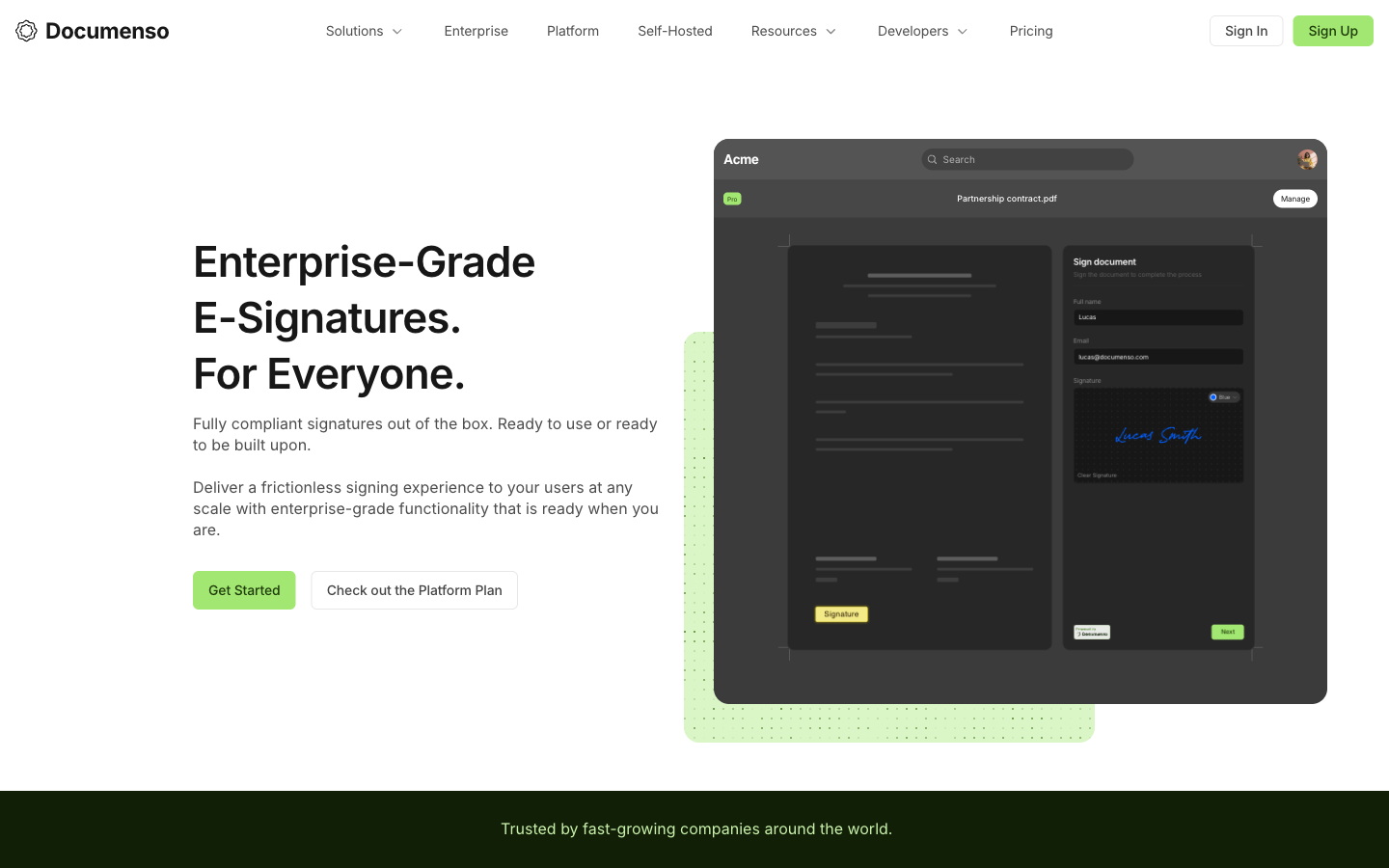
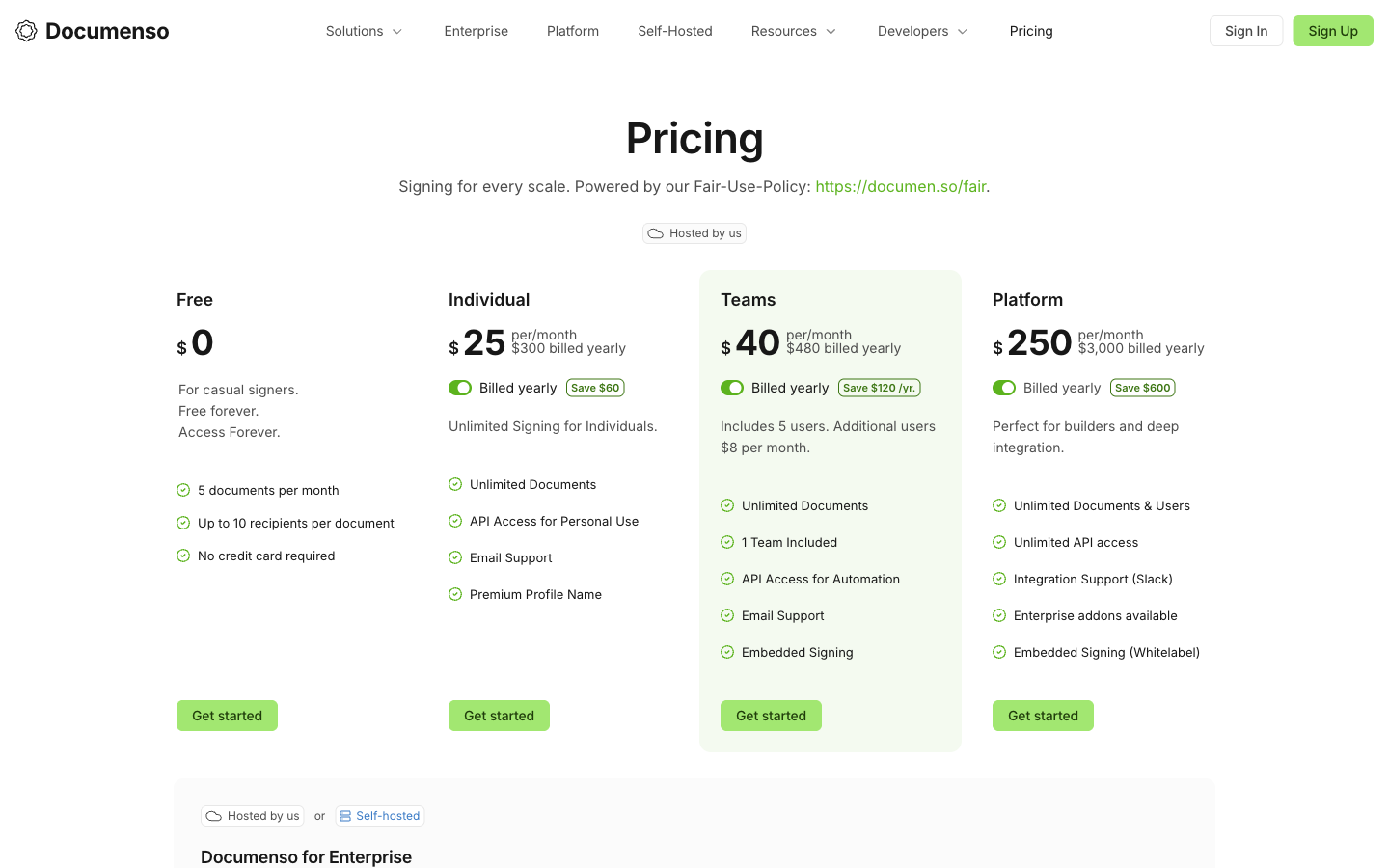
Documenso is the leading open-source e-signature platform: AGPL-3.0 licensed, roughly 13.7k GitHub stars, with both a free self-hostable Community Edition and hosted cloud plans. Founded in 2023, it runs an "Open Startup" program with public metrics, counts Prisma and Vial among its users, and covers GDPR, SOC 2, ESIGN/UETA, and 21 CFR Part 11 on its compliance page. Its users chose it deliberately, usually on transparency grounds, and the product deserves that loyalty: the API is first-class, embedded signing is a core feature rather than an enterprise upsell, and the codebase is genuinely auditable. Its limits are equally clear. There's no rich document editor (you sign uploaded PDFs), identity verification is thin beyond email, and the hosted pricing surprises people who assumed "open source" meant cheap: the cloud Free plan is 5 documents/month for one user, and whitelabel embedding requires the $250/month Platform plan.
DocuSeal (~17k GitHub stars, AGPL-3.0 with additional terms) is arguably the self-hoster's favorite: a lightweight Ruby application that runs happily on a $5 VPS, with a clean form-builder approach to preparing documents. It was built in 2023 by a developer who got quoted an absurd price to sign a single document, which tells you its whole ethos. OpenSign (also AGPL-3.0) differentiates with unlimited documents even on its free hosted tier, plus signing links and sequenced signing. Both are credible, actively maintained projects. Neither has Documenso's funding or commercial structure, which matters if you need a vendor relationship rather than a repository.
One more path worth naming: OneSpan Sign is the rare commercial vendor with true on-premise and private-cloud deployment. It's closed-source, built for banks and government (FedRAMP, QES under eIDAS), and priced accordingly through sales. If your requirement is "our servers" rather than "open code", it's the enterprise-grade answer, though small teams have no business in that pricing conversation.
What self-hosting actually costs
The license is free; running a legally critical system is not. Here's the realistic bill for a production self-hosted setup:
- A VPS or container host: $5–50/month depending on redundancy
- Transactional email (SES, Postmark, etc.) plus SPF/DKIM setup, because signing requests that hit spam folders stall contracts
- TLS certificates and a document-signing certificate
- Monitored, tested PostgreSQL backups. Untested backups are a hope, not a plan
- Security patching and version upgrades, on your schedule, forever
- An on-call human when signing breaks the morning a deal needs to close
In steady state that's a few engineer-hours a month; more around upgrades and incidents. At any realistic loaded cost for engineering time, you pass hosted pricing quickly: Papersign Pro is $24 per user/month (or $20/user/month billed annually) with unlimited signed documents, and Documenso's own hosted Teams plan is $40/month for five users. The money is rarely the real argument for self-hosting. Control is. Be honest with yourself about which one you're actually optimizing for.
The AGPL catch for product builders
All three major open-source signing tools use AGPL-3.0, which extends copyleft to network use: modify the software and serve it to users, and you must publish your modifications under the same license. Internal self-hosting is fine. Embedding signing in your proprietary SaaS generally is not, which is why Documenso charges $250/month for its Platform plan (whitelabel embedding) and sells commercial Enterprise licenses that waive the disclosure obligation. Factor that in before assuming the open-source route saves your product money; a hosted API with ordinary commercial terms is often cheaper and always simpler legally.
When hosted wins (which is most of the time)
If your goal is signed documents rather than owned infrastructure, hosted wins on every operational dimension: uptime someone else defends, compliance someone else audits, and an evidence trail someone else vouches for.
Compliance is the biggest one. SOC 2 Type II audits cost real money and recur annually; a hosted vendor amortizes that across all its customers, while a self-hoster who needs SOC 2 for their own stack has to scope their signing infrastructure into the audit. Deliverability is the sleeper issue: hosted vendors run dedicated email infrastructure and publish status pages, whereas your VPS's IP reputation is not something you want standing between a customer and a signature. And legal defensibility arrives by default, with third-party audit trails and completion certificates that stay intact whether or not anyone remembered to test the backups.
Then there's vendor longevity, which gets less attention than it deserves. Contracts outlive software decisions: you want the audit trail for a 2026 agreement to still be verifiable in 2033, which means you want a vendor still in business then. Judge vendors on their funding model, not just their feature list. A bootstrapped profitable company has different survival math than a pre-revenue startup, and open-source projects mitigate the risk differently: the code survives even if the company doesn't, though at that point you're definitely self-hosting.
Open-source vs hosted at a glance
Of the fourteen e-signature tools we track, only Documenso is open source, and only Documenso and OneSpan Sign can be self-hosted; everything else, including DocuSign, PandaDoc, and Papersign, is cloud-only SaaS. Here's how the deployment models line up across representative tools:
| Tool | Model | Self-hostable | License / terms | Compliance posture |
|---|---|---|---|---|
| Papersign | Hosted SaaS | No | Commercial; per-user pricing, no seat caps | ESIGN/UETA, SOC 2 Type II, GDPR on every plan incl. Free; activity trail + signed certificate |
| Documenso | Open source + hosted cloud | Yes (free, unlimited docs) | AGPL-3.0; commercial license for embedding | ESIGN/UETA, GDPR, SOC 2, HIPAA, 21 CFR Part 11; open-source audit trail |
| DocuSeal | Open source + hosted cloud | Yes | AGPL-3.0 with additional terms | Self-managed when self-hosted |
| OpenSign | Open source + hosted cloud | Yes | AGPL-3.0 | Self-managed when self-hosted |
| DocuSign | Hosted SaaS only | No | Commercial; per-user with envelope caps | ESIGN/UETA, eIDAS QES, HIPAA, SOC 2, ISO 27001, FedRAMP-adjacent |
| OneSpan Sign | Hosted, private cloud, or on-premise | Yes (commercial on-premise) | Commercial, sales-led pricing | ESIGN/UETA, eIDAS QES, FedRAMP, HIPAA, SOC 2, ISO 27001 |
A few dimension notes that matter regardless of deployment model. Templates and workflows: hosted tools generally ship richer template libraries, signing order, bulk send, and automatic reminders out of the box; open-source tools cover the core (sequential signing, templates) but you configure and maintain the surroundings. Integrations and API: Documenso is API-first with webhooks, Zapier, and embedding SDKs; Papersign's API and webhooks come with Pro; DocuSign has the largest catalog at 900+ integrations but prices its API plans separately. Reviews: DocuSign scores 4.5/5 on G2 across roughly 2,600 reviews (and a bruising 1.5 on Trustpilot, largely about billing); OneSpan Sign holds 4.7/5 on both G2 and Capterra from a much smaller base; Documenso is too young for a meaningful G2 footprint, and its community sentiment lives on GitHub and Product Hunt instead.
See Documenso in action
Independent walkthroughs are the fastest way to judge whether self-hosting is within your team's comfort zone:
Feature comparison
| Feature | Papersign | Documenso | DocuSign | OneSpan Sign |
|---|---|---|---|---|
| Document Creation & Editing | ||||
| Upload and sign PDFs | Yes | Yes | Yes | Yes |
| Rich editor to create documents from scratch | Yes | No | No | No |
| Web forms | No | No | Yes Business Pro | No |
| Document generation | No | No | Yes Enterprise | No |
| Smart Forms | No | No | No | Yes Enterprise |
| Signing Experience | ||||
| Legally binding e-signatures | Yes | Yes | Yes | Yes |
| Real-time tracking and notifications | Yes | Yes | Yes | Yes |
| Automatic reminders | Yes | Yes | Yes | Yes |
| Manual signing links | Yes Pro | No | No | No |
| Unlimited users | Yes | No | No | No |
| Signing order / sequential signing | No | Yes | No | No |
| Direct signing links (templates) | No | Yes | No | No |
| Embedded signing | No | Yes Teams | No | No |
| Signing order / routing | No | No | Yes | No |
| In-person signing | No | No | Yes | Yes |
| Bulk send | No | No | Yes Business Pro | No |
| SMS delivery | No | No | Yes | No |
| Mobile signing (native apps) | No | No | Yes | No |
| Payment collection at signing | No | No | Yes Business Pro | No |
| Mobile signing | No | No | No | Yes |
| Bulk sending | No | No | No | Yes Enterprise |
| Remote online notarization | No | No | No | Yes Enterprise |
| Workflows & Automation | ||||
| Paperform integration | Yes | No | No | No |
| Bulk sending | Yes Pro | Yes | No | No |
| Custom email notifications | Yes Pro | No | Yes Standard | Yes |
| Webhooks | Yes Pro | Yes | No | No |
| Zapier integration | No | Yes | No | No |
| Conditional routing / advanced workflows | No | No | Yes Enterprise | No |
| Webhooks (Connect) | No | No | Yes | No |
| PowerForms (on-demand signing links) | No | No | Yes Business Pro | No |
| Signing order / sequencing | No | No | No | Yes |
| Templates and branded workflows | No | No | No | Yes |
| Webhooks / event notifications | No | No | No | Yes |
| Security & Compliance | ||||
| SOC 2 Type II | Yes | No | Yes | Yes |
| GDPR compliant | Yes | Yes | Yes | Yes |
| Activity trail | Yes | No | No | No |
| Signed document certificate | Yes | No | No | No |
| Consent agreement | Yes | No | No | No |
| Local data residency | Yes Enterprise | Yes | Yes Enterprise | No |
| SOC 2 | No | Yes | No | No |
| HIPAA support | No | Yes | No | No |
| Audit trail | No | Yes | No | No |
| Open-source auditable codebase | No | Yes | No | No |
| HIPAA support (BAA) | No | No | Yes Enterprise | No |
| ISO 27001 | No | No | Yes | No |
| Audit trail / certificate of completion | No | No | Yes | No |
| eIDAS AES/QES qualified signatures | No | No | Yes | No |
| 21 CFR Part 11 module | No | No | Yes Enterprise | No |
| HIPAA compliant | No | No | No | Yes |
| ISO 27001 / 27017 / 27018 | No | No | No | Yes |
| FedRAMP | No | No | No | Yes |
| eIDAS AES and QES signatures | No | No | No | Yes |
| Audit trail and evidence | No | No | No | Yes |
| On-premise / private cloud deployment | No | No | No | Yes Enterprise |
| Identity Verification | ||||
| Signer email verification | Yes Pro | Yes | Yes | Yes |
| SSO (SAML) | Yes Enterprise | No | Yes Enterprise | No |
| SMS / OTP verification | No | No | No | No |
| ID verification / KBA | No | No | No | No |
| SMS / phone OTP authentication | No | No | Yes | No |
| ID document verification | No | No | Yes | No |
| Knowledge-based authentication (KBA) | No | No | Yes | Yes Enterprise |
| SMS/OTP authentication | No | No | No | Yes |
| Government ID verification with liveness detection | No | No | No | Yes Enterprise |
| Smart card / digital certificate authentication | No | No | No | Yes Enterprise |
| Integrations & API | ||||
| Papersign API | Yes Pro | No | No | No |
| Webhooks | Yes Pro | Yes | Yes | No |
| Public REST API | No | Yes | No | No |
| React/Vue embedding SDKs | No | Yes | No | No |
| Public API | No | No | Yes | No |
| Native integrations | No | No | 900+ | No |
| Zapier | No | No | Yes | No |
| REST API and SDKs | No | No | No | Yes |
| Salesforce integration | No | No | No | Yes |
| Microsoft 365 / SharePoint / Dynamics integrations | No | No | No | Yes |
| Google Workspace integration | No | No | No | Yes |
| Workday integration | No | No | No | Yes |
| Team & Branding | ||||
| Team document organisation | Yes Pro | No | Yes Standard | No |
| Email/chat support | Yes | No | No | No |
| Dedicated CSM | Yes Enterprise | No | Yes Enterprise | No |
| SLA | Yes Enterprise | No | Yes Enterprise | No |
| Teams / shared workspace | No | Yes Teams | No | No |
| White-label / custom branding | No | Yes Platform | No | No |
| SSO | No | Yes Enterprise | No | No |
| Dedicated support with SLA | No | Yes Enterprise | No | No |
| Custom branding | No | No | Yes Standard | No |
| 24/7 live support | No | No | Yes Enterprise | No |
| White-label branding | No | No | No | Yes Enterprise |
| SSO (SAML) | No | No | No | Yes Enterprise |
| Unlimited users | No | No | No | No |
| Templates | ||||
| Reusable templates | No | Yes | Yes | No |
| Template gallery | No | No | No | No |
| Template sharing across teams | No | No | Yes Standard | No |
Pricing comparison
Papersign
Documenso
| Product | Plan | Monthly Price | Annual Price (per month) | Free Plan | Free Trial | Limits |
|---|---|---|---|---|---|---|
| Papersign | Free | Free | Free | Yes | No | documents: 3, users: Unlimited |
| Papersign | Pro | $24/user | $20/user | documents: Unlimited*, users: Unlimited seats (each user billed), api requests: 10 documents per seat, per month | ||
| Documenso | Free | Free | Not listed | Yes | No | documents: 5 per month, users: 1 |
| Documenso | Individual | $25/mo | $25/mo billed annually | documents: Unlimited, users: 1 | ||
| Documenso | Teams | $40/mo | $40/mo billed annually | documents: Unlimited, users: 5 included, +$8/user/month | ||
| Documenso | Platform | $250/mo | $250/mo billed annually | documents: Unlimited, users: Unlimited, api requests: Unlimited | ||
| DocuSign | Personal | $15/mo | $11/mo billed annually | Yes | 30 days | documents: 5 envelopes per month, users: 1 |
| DocuSign | Standard | $45/mo | $30/mo billed annually | documents: 100 envelopes per user per year (annual plans); ~10/user/month on monthly billing, users: Up to 50 (per-user pricing) | ||
| DocuSign | Business Pro | $65/mo | $45/mo billed annually | documents: 100 envelopes per user per year (annual plans), users: Up to 50 (per-user pricing) | ||
| DocuSign | Enhanced Plans (Enterprise) | Contact sales | Not listed | documents: Custom envelope allowance, users: 50+ | ||
| OneSpan Sign | Professional | ~$22/user (billed annually, per third-party sources) | Not listed | No | 30 days | documents: Unlimited transactions claimed on Professional plan (third-party sources), users: Per-sender pricing; signers free |
| OneSpan Sign | Enterprise | Contact sales | Not listed | documents: Volume-based transaction bands negotiated with sales; overage fees may apply |
Review ratings
Where Papersign fits
Papersign's answer to the open-source question is to make the hosted trade so cheap and so complete that self-hosting stops being worth the pager duty. The compliance package that pushes people toward enterprise tools, SOC 2 Type II, GDPR, a tamper-evident activity trail, and a signed document certificate, is on every Papersign plan including Free (3 documents/month). Pro is $24 per user/month, or $20/user/month billed annually, with unlimited signed documents, API access, and webhooks. For a single user that's less than Documenso's hosted Individual plan, with none of the AGPL considerations if you build on the API; for a five-person team, Documenso's Teams plan is the cheaper hosted option, and what Papersign's seats buy instead is the document editor and a commercial vendor standing behind the evidence trail.
On the longevity question, Papersign is built by Paperform: bootstrapped, profitable, and operating since 2016. No burn rate to outrun and no acquirer to answer to, which is the profile you want from the company holding your contracts' evidence trail for the next decade. If self-hosting is a genuine requirement for you, Documenso has earned its place as the default choice, and we'd rather say so plainly than pretend otherwise. If it's a preference, run the numbers above first, then browse the rest of our e-signature software comparisons to see how the hosted field stacks up.
Frequently Asked Questions
Is there an open-source DocuSign alternative?
Can I self-host Papersign?
Are self-hosted e-signatures legally binding?
What does self-hosting an e-signature platform actually cost?
What does the AGPL license mean if I want to embed signing in my product?
Is Documenso free to use?
Can I get on-premise e-signatures without open source?
Who is behind Papersign, and will it still exist in five years?
Sources & References
- documenso/documenso — GitHub, July 2026
- Documenso Pricing — Documenso, verified July 2026
- Documenso License Overview (Community vs Enterprise) — Documenso Docs
- Documenso Review - Features, Pricing & Alternatives — Workflow Automation
- docusealco/docuseal — GitHub, July 2026
- OpenSignLabs/OpenSign — GitHub, July 2026
- 5 Open-Source DocuSign Alternatives in 2026 — Sliplane
- How Documenso got 4,000 stars and grew an active GitHub community — PostHog
- OneSpan Sign — Electronic Signature — OneSpan
Last updated October 7, 2026
Ready to try Papersign?
Send, sign, and manage documents in minutes — simple, fast e-signatures without the bloat.
Get Papersign FreeFree plan available, no credit card required