
Papersign vs Dropbox Sign: Which Is Better in 2026?
Papersign and Dropbox Sign (the former HelloSign) are both simple, well-liked signing tools, but they're heading in opposite directions. Dropbox Sign wins if your files already live in Dropbox, and its seats cost less. Papersign puts more on the seat — a document editor, no template caps, API access, no user minimums — and is the one whose maker still treats e-signatures as its main job.
This is an unusual matchup because the products agree on philosophy. HelloSign built its name being the anti-DocuSign: upload, drop fields, send, done. Papersign was built in 2023 on the same conviction. The differences are in trajectory and fine print. Since Dropbox bought HelloSign in 2019 and rebranded it in 2022, the product has mostly been maintained rather than advanced — the SharePoint integration is being retired in March 2026, and the plan structure has grown teeth: template caps of 5 and 15, a 2-user minimum on Standard, and an API sold as a separate product from $75/month. Papersign, meanwhile, is the flagship signing product of Paperform, a bootstrapped, profitable company running since 2016, and it ships the things Dropbox Sign never got around to, like a rich editor for writing documents from scratch.
Full disclosure: this comparison is published by Papersign. The numbers below come from both vendors' pricing pages (verified July 2026) and independent reviews, so you can check our work.
Choose Papersign if…
You want one plan that carries everything — no template rationing, an editor to draft agreements from scratch, API access without a second subscription — and a signing tool whose roadmap isn't parked inside a storage company.
Choose Dropbox Sign if…
Your company's documents live in Dropbox and signing from inside your storage matters, or you need HIPAA BAAs, eIDAS Qualified Signatures, or in-person signing that Papersign doesn't offer.
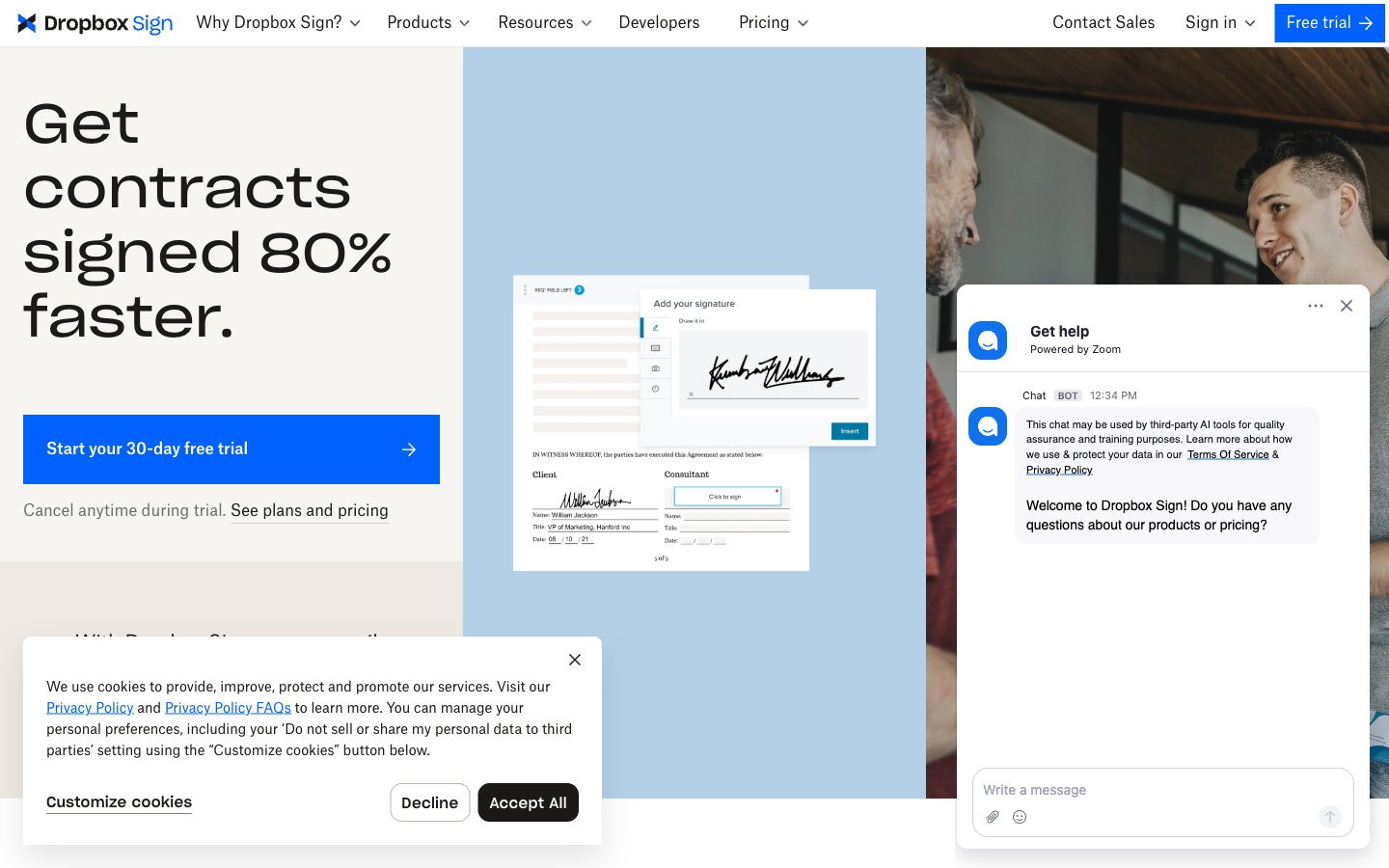
Papersign vs Dropbox Sign at a glance
| Feature | Papersign | Dropbox Sign |
|---|---|---|
| Document Creation & Editing | ||
| Upload and sign PDFs | Yes | Yes |
| Rich editor to create documents from scratch | Yes | No |
| Auto-populated fields | No | Yes Essentials |
| Signing Experience | ||
| Legally binding e-signatures | Yes | Yes |
| Real-time tracking and notifications | Yes | Yes |
| Automatic reminders | Yes | Yes |
| Manual signing links | Yes Pro | No |
| Unlimited users | Yes | No |
| Signing order | No | Yes |
| In-person signing | No | Yes Standard |
| Bulk send | No | Yes Standard |
| Mobile signing | No | Yes |
| Multi-language signing | No | 22 languages |
| Workflows & Automation | ||
| Paperform integration | Yes | No |
| Bulk sending | Yes Pro | No |
| Custom email notifications | Yes Pro | Yes Standard |
| Webhooks | Yes Pro | Yes API plans |
| Conditional logic | No | Yes Standard |
| Security & Compliance | ||
| SOC 2 Type II | Yes | Yes |
| GDPR compliant | Yes | Yes |
| Activity trail | Yes | No |
| Signed document certificate | Yes | No |
| Consent agreement | Yes | No |
| Local data residency | Yes Enterprise | Yes Premium |
| ISO 27001 | No | Yes |
| HIPAA compliance | No | Yes Enterprise |
| eIDAS / QES | No | Yes Premium / API Premium add-on |
| Audit trail | No | Yes |
| 256-bit AES encryption | No | Yes |
| Identity Verification | ||
| Signer email verification | Yes Pro | Yes |
| SSO (SAML) | Yes Enterprise | Yes Standard |
| Signer access codes | No | Yes Essentials |
| SMS authentication | No | Yes Standard |
| Electronic ID (eID) verification | No | Yes API Premium |
| Integrations & API | ||
| Papersign API | Yes Pro | No |
| Webhooks | Yes Pro | No |
| API | No | Yes Separate API product |
| Embedded signing | No | Yes API plans |
| Zapier | No | Yes |
| Native integrations | No | 19+ |
| Team & Branding | ||
| Team document organisation | Yes Pro | No |
| Email/chat support | Yes | No |
| Dedicated CSM | Yes Enterprise | No |
| SLA | Yes Enterprise | No |
| Custom branding | No | Yes Standard |
| Admin console | No | Yes Standard |
| Multi-team support | No | Yes Premium |
| Performance dashboards | No | Yes Premium |
| Email support | No | Yes |
| Templates | ||
| Reusable templates | No | Yes |
| Template gallery | No | Yes |
| Template links | No | Yes |
Strengths of Papersign
Papersign Pro costs $24/user/month ($20 billed annually) and puts everything on that seat: unlimited signed documents, no template caps, API access, and no user minimums. Dropbox Sign's seats are cheaper — Essentials is $10.05/month billed annually for a single user — but each tier holds something back. Essentials caps you at 5 templates; Standard lifts it to 15 and requires two seats; unlimited templates only arrive on the quote-based Premium plan. Papersign doesn't ration reusable documents by tier at any price, and features like bulk sending don't wait for a higher plan.
The bigger product difference is that Papersign can create documents, not just collect signatures on them. Its doc-style editor lets you write a contract, proposal, or consent form inside the tool; Dropbox Sign expects a finished PDF or Word file from somewhere else. Add the Paperform integration — form submissions that turn into signature-ready documents automatically — plus API and webhooks bundled into Pro, and Papersign covers workflows Dropbox Sign only reaches through its separately priced API product.
And it's being built at pace. E-signatures are the whole business for Papersign's team, which matters over a three-year tooling horizon: you're buying a roadmap as much as a feature list. (It cuts the other way on maturity — see the weaknesses below.)
Strengths of Dropbox Sign
Dropbox Sign scores 4.7/5 on both G2 (2,266 reviews) and Capterra, with ease of use the most-praised attribute on both. The signing experience HelloSign was famous for survived the acquisition intact: reviewers still get from upload to sent faster than on most rivals, and every paid plan includes unlimited signature requests, starting at $15/month for a single Essentials seat. If your files live in Dropbox, the native integration is genuinely good — you send documents for signature from the folder they're stored in, and completed copies land back there.
Its compliance ceiling is also higher than Papersign's. Dropbox Sign offers HIPAA support with a signed BAA, ISO 27001, and eIDAS Qualified Electronic Signatures (QES) via eID providers on premium and API tiers. Standard-plan extras like in-person signing, SMS signer authentication, and a native Salesforce integration serve use cases Papersign doesn't attempt. And the HelloSign-era API, whatever its price, is mature and well documented, with a free test mode developers consistently rate highly.
Where Papersign falls short
Papersign launched in 2023, and it shows in the catalog: one deep native integration (Paperform) plus API and webhooks, versus Dropbox Sign's roughly 19 natives including Salesforce, HubSpot, and Google Workspace. Compliance covers ESIGN/UETA, SOC 2 Type II, and GDPR with a full activity trail — enough for standard contracts and NDAs — but there's no HIPAA BAA, no QES, and no government-ID signer verification. Regulated industries and Salesforce-first sales teams have a real reason to pick Dropbox Sign here. The Paperform parentage (profitable since 2016) answers the will-it-exist question, not the does-it-do-everything-yet question.
Where Dropbox Sign falls short
Since the 2019 acquisition, Dropbox Sign's development has visibly slowed — the clearest recent signal being the SharePoint integration's discontinuation in March 2026. HelloSign was a company; Dropbox Sign is a line item. The integration catalog is small for a fifteen-year-old product and now shrinking, and the changes that do ship tend to be pricing structure rather than capability. If you adopt it today, you're buying 2019's product at 2026 prices.
Those prices have fine print. The free plan allows 3 signature requests a month with a single signer and zero templates. Essentials caps templates at 5. Standard lifts that to 15 but requires a 2-user minimum, making its true floor $50/month — and that's the tier where bulk send, conditional fields, custom branding, and SSO live. Want templates without a cap? That's Premium, quote-based, 5 seats and up. Want the API? Separate product: $75/month for 50 requests, $250/month for 100. Individually each is defensible; together they turn "simple, affordable signing" into a plan matrix you have to lawyer your way through. And there's still no way to write a document inside the tool.
See it in action
Pricing and limits compared
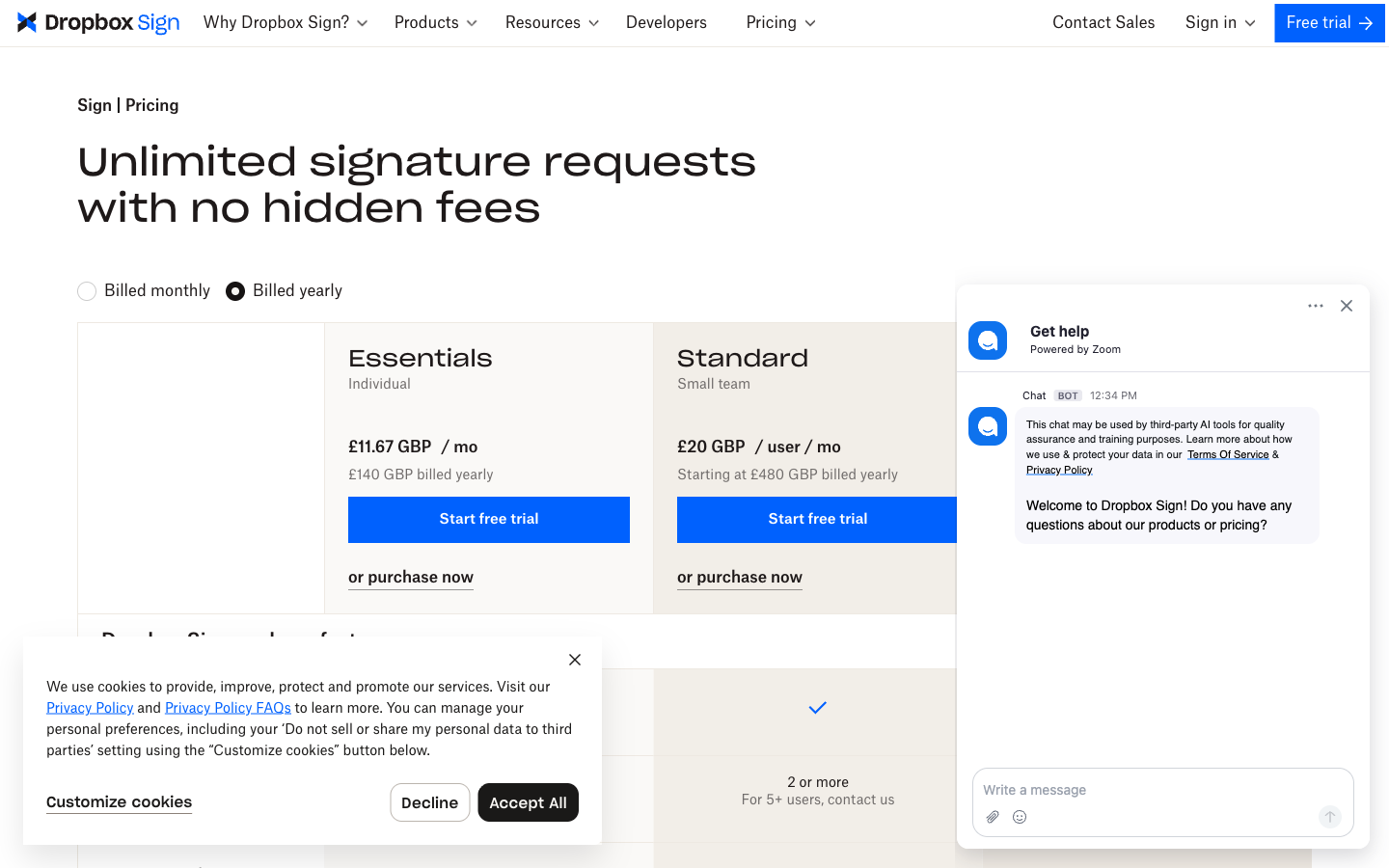
Papersign Pro is $24/user/month ($20 billed annually) for unlimited signed documents; Dropbox Sign runs $15/user/month for Essentials ($10.05 billed annually) to $25/user/month with a 2-user minimum for Standard ($17.50 annually), with unlimited requests but capped templates. On seat price alone Dropbox Sign is cheaper at most team sizes, and we won't pretend otherwise: five people on Standard annual is $87.50/month against $100 for five Papersign seats. What you're weighing is what the seat contains. Papersign's includes the document editor, uncapped templates, bulk sending, and API access; Dropbox Sign's cheaper seats come with 5–15 template caps, Standard's 2-user minimum (a real floor of $50/month billed monthly for a solo operator who needs its features), and an API that's a separate product from $75/month. Both free plans allow 3 sends a month, but Papersign's has no seat caps and includes its editor, while Dropbox Sign's is single-signer with no templates (self-signing is uncapped).
Papersign
Dropbox Sign
| Product | Plan | Monthly Price | Annual Price (per month) | Free Plan | Free Trial | Limits |
|---|---|---|---|---|---|---|
| Papersign | Free | Free | Free | Yes | No | documents: 3, users: Unlimited |
| Papersign | Pro | $24/user | $20/user | documents: Unlimited*, users: Unlimited seats (each user billed), api requests: 10 documents per seat, per month | ||
| Dropbox Sign | Free | Free | Not listed | Yes | 30 days | documents: 3 signature requests/month, templates: 0, users: 1 |
| Dropbox Sign | Essentials | $15/mo | $10.05/mo billed annually | documents: Unlimited signature requests, templates: 5, users: 1 | ||
| Dropbox Sign | Standard | $25/mo | $17.5/mo billed annually | documents: Unlimited signature requests, templates: 15, users: 2-5 (2-user minimum; contact sales beyond 5) | ||
| Dropbox Sign | Premium | Custom quote | Not listed | documents: Unlimited signature requests, templates: Unlimited, users: 5+ | ||
| Dropbox Sign | API Essentials | $75/mo | $900/mo billed annually | documents: 50 signature requests/month (starting), api requests: 50 signature requests/month | ||
| Dropbox Sign | API Standard | $250/mo | $3000/mo billed annually | documents: 100 signature requests/month (starting), api requests: 100 signature requests/month | ||
| Dropbox Sign | API Premium | Custom quote | Not listed | documents: 100+ signature requests/month |
Templates
Dropbox Sign allows 0 templates on Free, 5 on Essentials, and 15 on Standard; unlimited templates require the quote-based Premium plan. Template links count against the same caps, so a team using signing links for onboarding paperwork hits the wall fast — this is among the most common complaints in third-party reviews. Papersign has no per-tier template ration; reusable documents come with the plan.
Workflows and automation
Both tools cover signing order, automatic reminders, and bulk send — but Dropbox Sign gates bulk send, conditional logic, and custom email branding behind the $50/month-minimum Standard tier, while Papersign includes bulk sending, advanced reminders, custom email notifications, and webhooks on Pro at $24/user/month. Dropbox Sign counters with in-person signing and SMS authentication, which Papersign lacks. For form-driven automation, Papersign's Paperform integration generates and sends documents from form submissions with no code — the kind of workflow that requires Dropbox Sign's paid API to replicate.
Integrations and API
Dropbox Sign has roughly 19 native integrations (Dropbox, Salesforce, HubSpot, Google Workspace, Slack) plus Zapier; Papersign has one deep native integration (Paperform) plus API, webhooks, and Zapier-style automation through Paperform. The catch on the Dropbox side is the API: embedded signing is a separate subscription at $75/month for 50 requests or $250/month for 100, on top of the web app. Papersign bundles its API into Pro (10 API-signed documents per seat per month; unlimited on Enterprise). If you need broad native CRM coverage, Dropbox Sign wins this dimension; if you need embedded signing without a second bill, Papersign does.
Compliance and audit trail
Both products produce legally binding signatures under ESIGN/UETA with tamper-evident audit trails on every document. Dropbox Sign goes further up the stack: eIDAS through QES (via eID providers), HIPAA with a BAA, SOC 2 Type II, and ISO 27001. Papersign covers ESIGN/UETA, SOC 2 Type II, and GDPR, with an activity trail and signed document certificate on every plan including Free — no compliance features held back for enterprise tiers. For everyday contracts both are more than sufficient; for healthcare or qualified EU signatures, Dropbox Sign is the only option of the two.
What users say
Dropbox Sign rates 4.7/5 on G2 across 2,266 reviews and 4.7/5 on Capterra, with ease of use the top-cited strength and the free plan's limits plus per-user cost creep the recurring gripes; PeerSpot has it at 4.4/5. Papersign is too new to have comparable review volume — a fair caution flag — though it inherits Paperform's decade of product reputation.
Verdict: Papersign or Dropbox Sign?
If your company runs on Dropbox, buy Dropbox Sign. Signing from inside your storage is a real workflow advantage, the product is polished, and the compliance ceiling (HIPAA, QES) is higher. That's also the honest boundary of the recommendation: the further you get from Dropbox storage, the more you're rationing templates and stepping around user minimums on a product whose owner has other priorities. For everyone else, Papersign is the simple signing tool that's still a moving target — its seats cost a few dollars more than Dropbox Sign's, but each one carries the whole product: documents you can draft in-app, uncapped templates, API included, and a maker whose entire business depends on making it better. Try both free tiers with a real contract; the difference in direction shows up within the first send. For the wider field, see our ranked list of e-signature tools or the DocuSign alternatives guide where both of these appear.
Frequently Asked Questions
What happened to HelloSign? Is it the same as Dropbox Sign?
How do template limits compare between Papersign and Dropbox Sign?
Is Dropbox Sign worth it if I don't use Dropbox?
How much does the Dropbox Sign API cost compared to Papersign?
Why does Dropbox Sign's Standard plan require 2 users?
Sources & References
- Dropbox Sign plans and pricing — Dropbox Sign, verified July 2026
- Dropbox Sign API pricing — Dropbox Sign, verified July 2026
- Dropbox Sign (formerly HelloSign) reviews on G2 (4.7/5, 2,266 reviews) — G2, July 2026
- Dropbox Sign (formerly HelloSign) pricing & plans guide — Jotform
- Dropbox Sign Review 2025 — Features, Pricing & Alternatives — Workflow Automation
- Dropbox Sign API: Pricing, Features, Pros, Cons, and Alternatives — SignWell
- Papersign pricing — Papersign, verified July 2026
Last updated October 7, 2026
Ready to try Papersign?
Send, sign, and manage documents in minutes — simple, fast e-signatures without the bloat.
Get Papersign FreeFree plan available, no credit card required