
Papersign vs PandaDoc: Which Is Better in 2026?
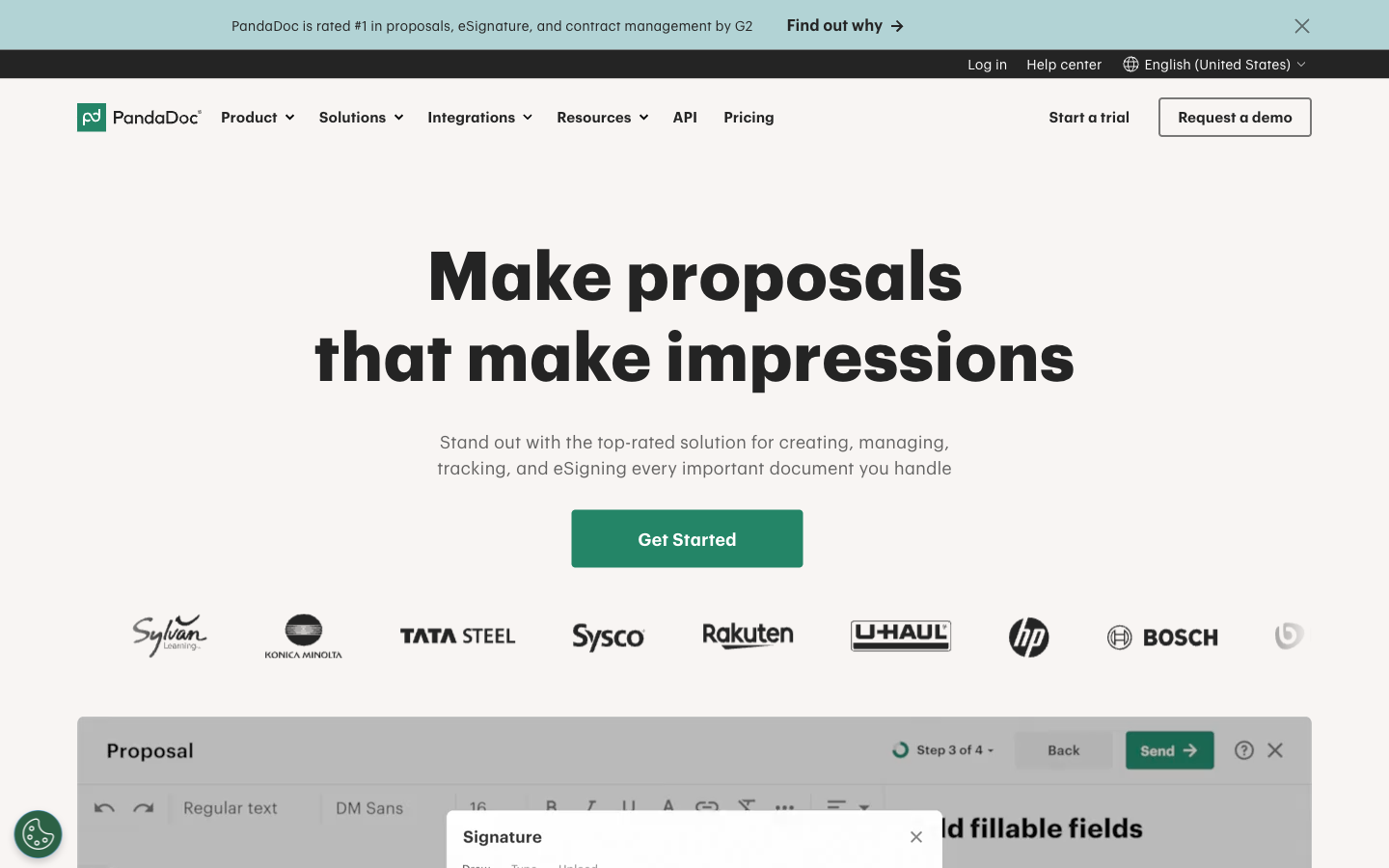
Papersign and PandaDoc both let you create documents from scratch and get them legally signed, but they're built for different jobs. PandaDoc wins if you're producing sales proposals with quotes and CPQ; Papersign wins if you want agreements drafted, sent, and signed without paying for the suite — $24 per user per month ($20 annually), with unlimited signed documents and the API included on Pro.
This is an unusual matchup because it isn't really signing tool vs signing tool. PandaDoc is a sales-document platform where e-signature is one feature in a document-to-cash pipeline: proposal editor, pricing tables, CPQ, deal rooms, payment collection. Papersign is the opposite bet — that most documents needing a signature are contracts, NDAs, offer letters, and consent forms, none of which contain a quote. The overlap that makes them comparable is the editor. Both let you write an agreement inside the product rather than importing a PDF from Word, which is exactly the capability that pushes many people toward PandaDoc in the first place. The question this page answers is whether you need the rest of the suite that comes attached to it.
(Full disclosure: this comparison is published by Papersign. The numbers below come from both companies' public pricing pages and third-party review platforms, so you can check our work.)
Quick verdict
Choose Papersign if…
- Your documents are agreements, not quotes — you draft, send, sign, done
- You want a seat price ($24/user/month, or $20 annually) with nothing metered — no document caps or overage fees
- You want API access and webhooks without an Enterprise contract or a metered add-on
- You use Paperform and want form submissions to become signed documents automatically
Choose PandaDoc if…
- Your documents sell — proposals with pricing tables, quotes, CPQ, deal rooms
- You need native two-way sync with Salesforce, HubSpot, or Pipedrive
- You collect payment at the moment of signing
- You need HIPAA (BAA), eIDAS QES, or 21 CFR Part 11 compliance tiers
Feature comparison
| Feature | Papersign | PandaDoc |
|---|---|---|
| Document Creation & Editing | ||
| Upload and sign PDFs | Yes | Yes |
| Rich editor to create documents from scratch | Yes | Yes |
| Template library | No | 750+ |
| Pricing tables and quotes | No | Yes Business |
| CPQ (configure, price, quote) | No | Yes Enterprise |
| Signing Experience | ||
| Legally binding e-signatures | Yes | Yes |
| Real-time tracking and notifications | Yes | Yes |
| Automatic reminders | Yes | Yes |
| Manual signing links | Yes Pro | No |
| Unlimited users | Yes | No |
| Signing order | No | Yes |
| Bulk send | No | Yes Business |
| Mobile signing | No | Yes |
| Payment collection at signing | No | Yes |
| Workflows & Automation | ||
| Paperform integration | Yes | No |
| Bulk sending | Yes Pro | No |
| Custom email notifications | Yes Pro | Yes |
| Webhooks | Yes Pro | Yes |
| Approval workflows | No | Yes Business |
| Workflow automation | No | Yes Enterprise |
| Deal rooms | No | Yes Business |
| Security & Compliance | ||
| SOC 2 Type II | Yes | Yes |
| GDPR compliant | Yes | Yes |
| Activity trail | Yes | No |
| Signed document certificate | Yes | No |
| Consent agreement | Yes | No |
| Local data residency | Yes Enterprise | No |
| HIPAA compliance (BAA) | No | Yes Enterprise |
| eIDAS compliance | No | Yes |
| Qualified electronic signatures (QES) | No | Yes |
| Audit trail and signing certificate | No | Yes |
| 21 CFR Part 11 | No | Yes |
| Identity Verification | ||
| Signer email verification | Yes Pro | Yes |
| SSO (SAML) | Yes Enterprise | Yes Enterprise |
| SMS/passcode recipient verification | No | Yes Business |
| Integrations & API | ||
| Papersign API | Yes Pro | No |
| Webhooks | Yes Pro | Yes |
| Public API | No | Yes |
| Zapier | No | Yes |
| CRM integrations | No | Yes Business |
| Team & Branding | ||
| Team document organisation | Yes Pro | No |
| Email/chat support | Yes | No |
| Dedicated CSM | Yes Enterprise | Yes Enterprise |
| SLA | Yes Enterprise | Yes Enterprise |
| Custom branding | No | Yes Business |
| Team workspaces | No | Yes Business |
| 24/7 email/chat support | No | Yes |
| Templates | ||
| Reusable templates | No | Yes |
| Template gallery | No | 750+ |
Where Papersign is stronger
A seat that includes everything. Papersign Pro is $24 per user per month — $20 billed annually — with unlimited signed documents (fair usage), no template caps, and no overage line items. Against PandaDoc Starter ($19/user/month annually) the per-seat price is essentially level; what changes is what the seat buys, since Starter caps saved templates at 5. Against Business at $49/user/month, Papersign is well under half the price per seat — a five-person team pays $100/month on Papersign annual billing versus $245 on PandaDoc Business — provided your documents don't need the quoting suite that Business is priced for.
An editor without the suite attached. The usual trade-off in this category is that cheap signing tools make you bring finished PDFs, while document editors come bundled into platforms like PandaDoc. Papersign is the odd one out: a doc-style rich editor for writing agreements from scratch, in a product that only does signing. That combination is the whole argument for choosing it over PandaDoc when your documents don't contain pricing tables.
API on a normal plan. Papersign's API ships with the Pro plan (10 API-signed documents per seat, per month; unlimited on Enterprise), alongside webhooks and bulk sending. PandaDoc gates its API behind the custom-priced Enterprise tier or a separate metered Developer plan, with prepaid credit packs once you pass the plan's included volume. If automated signing is in your roadmap, price this line item before anything else.
The Paperform pipeline. Papersign is built by Paperform, bootstrapped and profitable since 2016, and the two products are wired together: a form submission can generate a contract and send it for signature automatically, with everything linked back to the original submission. PandaDoc has nothing equivalent on the forms side. Papersign itself launched in 2023, so it's the younger product here — the parent company's decade of shipping is the counterweight.
Where PandaDoc is stronger
The sales-document workflow, end to end. If your documents close deals, PandaDoc has spent fifteen years building for exactly that: interactive pricing tables, CPQ on Enterprise, approval workflows, deal rooms, and payment collection when the customer signs. Reviewers back it up — 4.7/5 on G2 across 3,400+ reviews, with the editor and low training burden the most common praise. Papersign doesn't attempt any of this, and honestly shouldn't be on your shortlist if quotes are the point.
Richer media in documents. Both products have editors, but PandaDoc's handles embedded video, image galleries, and a 750+ template gallery aimed at proposals. A pitch document that needs to look like a marketing asset is PandaDoc territory.
CRM depth. PandaDoc ships 40+ native integrations, including two-way sync with Salesforce, HubSpot, Pipedrive, Zoho, and Dynamics — though CRM integrations sit on the $49/user/month Business tier. Papersign's native catalog is Paperform plus API and webhooks; anything else is custom work. For a rep who wants documents generated from CRM records, PandaDoc is simply more built-out.
Compliance ceiling. PandaDoc covers HIPAA with a BAA (Enterprise), eIDAS up to qualified signatures, 21 CFR Part 11, and SMS recipient verification. Papersign covers SOC 2 Type II, GDPR, and ESIGN/UETA with signer email verification — enough for most businesses, but regulated industries with QES or HIPAA requirements have a real reason to pay PandaDoc's rates.
Where Papersign falls short
No quotes, no CPQ, no payment collection, no deal rooms — if any of those words appear in your requirements, Papersign is the wrong tool and this comparison is over quickly. The integration catalog is thin beyond Paperform, so CRM-driven document generation means writing against the API rather than clicking an integration toggle. And identity verification stops at email: there's no SMS passcode or government-ID checking for high-stakes signatures. Papersign is also three years old as a product; buyers who weigh vendor track record should note it inherits Paperform's, not its own.
Where PandaDoc falls short
Everything PandaDoc does well is priced and packaged for sales teams, and it shows when you aren't one. The Starter tier ($19/user/month annually, $35 monthly) caps saved templates at 5 — a limit introduced in the 2024 plan restructure that also moved pricing tables and payment collection up to Business at the same price. Features non-sales teams want, like bulk send and custom branding, sit on Business at $49/user/month. The API is a separate purchase. And while product reviews are excellent, PandaDoc's Trustpilot score is 3.3/5 across ~635 reviews, with billing, auto-renewal, and cancellation the dominant complaints — a pattern worth reading up on before signing an annual per-seat agreement. If those complaints are what brought you here, the full PandaDoc alternatives roundup covers the wider field.
Dimension by dimension
Pricing and document limits
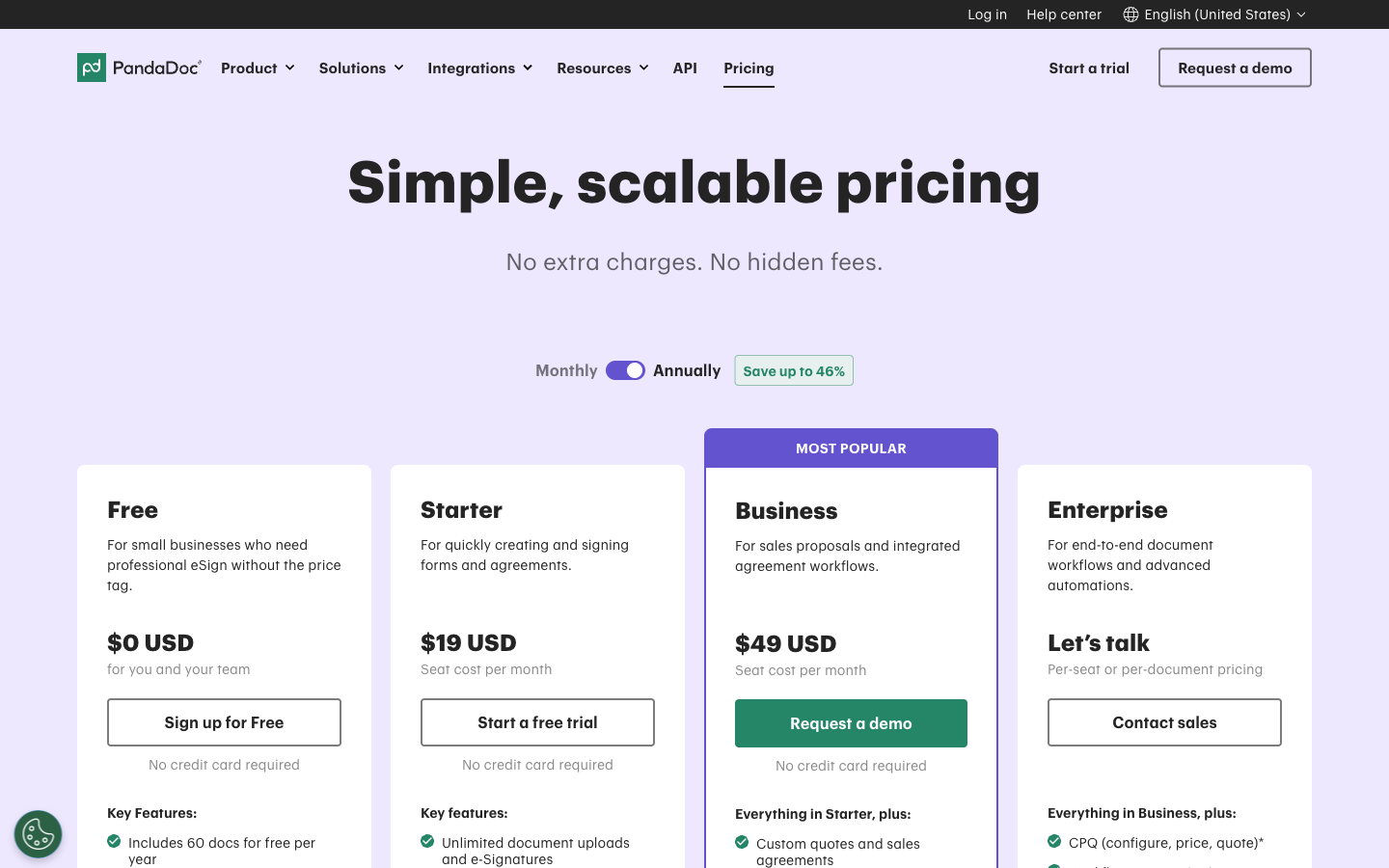
Both price per seat. Papersign Pro is $24/user/month ($20 billed annually) with unlimited signed documents and no seat caps; PandaDoc charges $19/user/month (Starter, annual) to $49/user/month (Business), also with unlimited documents on paid plans. Per seat, Papersign annual sits level with Starter and well under half of Business. Neither meters documents the way DocuSign does. Free plans: 3 documents/month on Papersign, 5 on PandaDoc.
Templates
PandaDoc's template gallery holds 750+ designs, but its Starter plan limits you to 5 saved templates — you need Business ($49/user/month) for unlimited. Papersign has no template gallery of that size; reusable documents are built in its editor without a cap tied to plan tier.
Workflows and automation
Both support signing order, automatic reminders, and real-time tracking. Bulk send is on Papersign Pro ($24/user/month) and PandaDoc Business ($49/user/month). PandaDoc adds approval workflows and deal rooms on Business; Papersign adds webhooks, custom email notifications, and Paperform-triggered document generation on Pro.
Integrations and API
PandaDoc: 40+ native integrations, Zapier, Make, and a REST API sold separately (or bundled at Enterprise). Papersign: native Paperform integration, webhooks, and a REST API included on the Pro plan ($24/user/month). Breadth goes to PandaDoc; API accessibility goes to Papersign.
Compliance and audit trail
Both produce legally binding ESIGN/UETA signatures with a tamper-evident audit trail and completion certificate — table stakes, and both clear them. PandaDoc adds eIDAS with QES, HIPAA BAA (Enterprise), 21 CFR Part 11, and SOC 2 Type II. Papersign is SOC 2 Type II and GDPR compliant on every plan, including Free, with data residency on Enterprise.
What reviewers say
PandaDoc scores 4.7/5 on G2 across 3,400+ reviews and 4.5/5 on Capterra, against 3.3/5 on Trustpilot where billing complaints cluster. Papersign is too new to have a comparable review base — evaluate it on the free plan rather than on ratings.
Pricing comparison
Both products bill per seat, so the comparison is what each seat includes at its list price — the table below shows per-user pricing side by side.
Papersign
PandaDoc
| Product | Plan | Monthly Price | Annual Price (per month) | Free Plan | Free Trial | Limits |
|---|---|---|---|---|---|---|
| Papersign | Free | Free | Free | Yes | No | documents: 3, users: Unlimited |
| Papersign | Pro | $24/user | $20/user | documents: Unlimited*, users: Unlimited seats (each user billed), api requests: 10 documents per seat, per month | ||
| PandaDoc | Free | Free | Free | Yes | 14 days | documents: 5 per month (~60 per year) |
| PandaDoc | Starter | $35/mo | $19/mo billed annually | documents: Unlimited, templates: 5, users: Per-seat pricing | ||
| PandaDoc | Business | $65/mo | $49/mo billed annually | documents: Unlimited, templates: Unlimited, users: Per-seat pricing | ||
| PandaDoc | Enterprise | Custom | Custom | documents: Unlimited, templates: Unlimited, users: Per-seat or per-document licensing |
See PandaDoc in action
Review ratings
Verdict
Buy PandaDoc when the document is the sale. A rev-ops team generating quotes from Salesforce, collecting payment at signature, and routing approvals through deal rooms will use what the $49/user/month Business plan charges for, and no signing-first product substitutes for it.
Buy Papersign when the sale is already made and the document just needs to be drafted and signed. You keep the create-from-scratch editor — the feature that usually justifies PandaDoc's price — and drop the template caps, the separately-priced API, and the $49/user Business tier you'd otherwise need for bulk send and branding. At $240 per user per year, a three-person team pays $720 against $1,764 on PandaDoc Business, with nothing metered on top. Start with the free plan and see whether anything is missing; if you're weighing more than these two, the full 2026 rankings cover the rest of the market.
Frequently Asked Questions
Do I need PandaDoc’s proposal features, or just e-signature?
Which has the better document editor, Papersign or PandaDoc?
Does Papersign do quotes or CPQ?
Do Papersign and PandaDoc both notify you when a document is viewed or signed?
Is PandaDoc’s free eSign plan enough, or is Papersign’s free plan better?
Is PandaDoc worth it over Papersign for a sales team?
Sources & References
- PandaDoc pricing page — PandaDoc, verified July 2026
- PandaDoc API pricing — PandaDoc Developers
- Papersign pricing — Papersign, verified July 2026
- PandaDoc reviews on G2 (4.7/5) — G2
- PandaDoc reviews on Trustpilot (3.3/5) — Trustpilot, July 2026
- PandaDoc Review: What Nobody Tells You — The Business Dive, 2026
Last updated October 7, 2026
Ready to try Papersign?
Send, sign, and manage documents in minutes — simple, fast e-signatures without the bloat.
Get Papersign FreeFree plan available, no credit card required