
All Solutions
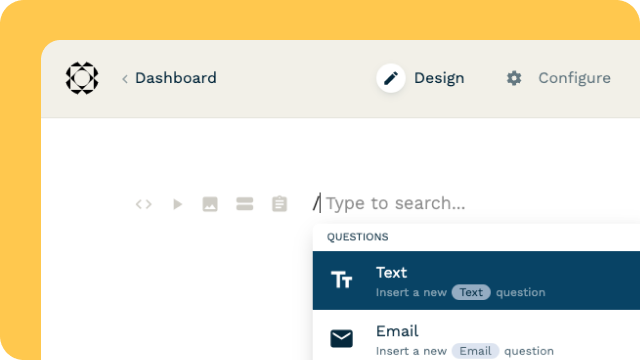
Explore all the solutions you can create with Paperform: surveys, quizzes, tests, payment forms, scheduling forms, and a whole lot more.
See all solutions



Connect with over 2,000 popular apps and software to improve productivity and automate workflows
See all integrationsProducts
Solutions
All Solutions
Explore all the solutions you can create with Paperform: surveys, quizzes, tests, payment forms, scheduling forms, and a whole lot more.
See all solutionsIntegrations
Connect with over 2,000 popular apps and software to improve productivity and automate workflows
See all integrationsResources
Freelance Services Proposal Template — Free PDF Templates
Impress clients with our Freelance Services Proposal Template, showcasing your expertise and services for impactful freelance pitches.
Looking to impress potential clients with your freelance skills? Use this Freelance Services Proposal Template to craft a compelling pitch that showcases your expertise and services. This comprehensive document outlines everything a client needs to know, from your proposed scope of work and timelines to pricing and payment terms. Whether you're a freelance marketer, writer, or web developer, this template is as adaptable as your range of services. Want to include a section for client testimonials or portfolio samples? Feel free. Need to specify payment milestones or deposit requirements? It's all there. Download the template and upload it to Papersign for a smooth, compliant transition from pitch to project. This way, you can focus on what you do best—delivering exceptional freelance services.
FAQ
1. 1. Can I trust the quality of this Freelance Services Proposal Template?
- Absolutely! We understand the importance of making a strong first impression. Our template has been meticulously crafted to help you showcase your freelance skills and impress potential clients. It covers all the essential elements, from scope of work to pricing, ensuring you present a professional proposal every time.
2. Is this template suitable for my specific freelance field?
Certainly! Whether you're a freelance marketer, writer, web developer, or offer any other services, this template is incredibly versatile. It can adapt to your unique needs. You can easily add sections for client testimonials, portfolio samples, or any other details that make your proposal stand out.
3. How can I customize the design of the template?
You can easily customize every design element of this document in Papersign. Add your logo, change colors and fonts, and you can even add photos to reinforce your brand. Make your proposal truly yours and leave a lasting impression on your potential clients.
4. How can I use this template for eSignatures?
Once you've modified the template to your liking, it's a breeze to use for eSignatures. Upload it to Papersign, add the signature fields, and send it out to your signees. Papersign will automatically notify you each time a signee has signed their part, so you can easily monitor the progress of your document. This streamlines the entire process and ensures a compliant transition from pitch to project.
Want more free document templates? Let's go →

*Paperform ("Paperform" or "we") provides the information, data, links and other materials on this page (collectively, "Information") for informational and educational purposes only. We do not warrant or represent the accuracy, completeness, currency, or suitability of any Information for any use or purpose. Paperform is not a licensed legal provider nor is it providing any legal advice. Nothing contained in the Information is intended to create an attorney-client relationship, to replace the services of a licensed, trained attorney or legal professional, or to be a substitute for the legal advice of an attorney or trained legal professional licensed in your state/jurisdiction.